
Speed Racing Pro 2
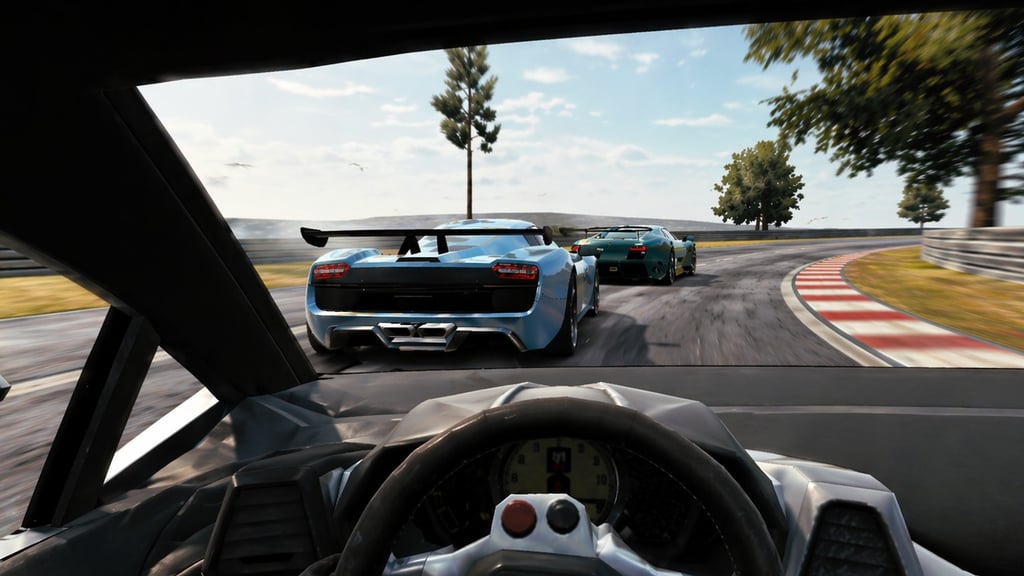
Table of Contents
Summary
From the same developer as the legendary Madalin Stunt Cars (MSC) series, Speed Racing Pro 2 swaps the usual stunt car chaos for supercar circuit racing. You get 12 supercars (all free) to blast around a variety of racetracks. And, of course, in true Madalin style, everything’s unlocked from the start with zero grinding required.

The handling feels fairly arcadey, but the AI drivers won’t wait around for you if you mess up. Try to throttle-mash into the first corner expecting to steal pole position, and you’ll instead be left watching the entire pack vanish into the distance while your Veneno pinballs between the barriers.

You’ll need to master nailing the racing line, lifting off the throttle, and finding the perfect braking distances to take on the best drivers in A Class. Clean driving will be what separates the podium finishers from those who’ll spend the entire race playing catch-up.
SRP2 has been around since 2016 and earned its spot as one of the best browser games out there, and it runs smoothly on pretty much any device, even if you’ve only got a budget Chromebook. If you’ve ever wanted to take the classic MSC formula to the racetrack for a real challenge, look no further!
Speed Racing Pro 2 features
- Release date – June 2016
- Difficulty – Beginner/Intermediate
- Levels/environments – 6 tracks
- Number of vehicles – 12
- Vehicle customization/upgrades – Paint only
- Multiplayer – No
- Mobile – No
- Developer – Madalin Games (Madalin Stanciu)
Physics
Similarly to MSC, the handling physics have a floaty, classic arcade feel. You won’t feel the tires grip into the asphalt the way they do in games like Drift Hunters MAX. Although they’re lighter, you’ll soon get used to them (and probably end up hitting the barriers a few times initially!)

Each car handles somewhat differently. Eventually, you’ll be able to push the all-wheel-drive supercars into the corners with confidence, while the rear-drive options are noticeably more tail-happy. There’s some weight transfer and body roll in the mix, too, but it’s certainly not excessive.

When it comes to intentionally getting the cars sideways, it’s not going to compete with dedicated drifting games. The wheels stay pointed straight even when you’re holding a decent angle (there’s no counter-steering animation), which looks a bit odd, but you’ll soon stop noticing when you knuckle down and focus on beating the opposition.
Graphics

MSC fans will recognize the familiar (kinda slightly stylized) look from Madalin Stunt Cars 2 and MSC3, but the car models are surprisingly sharp for an older game. You can see the scenery stretching for miles on most tracks, and the fact that it runs smoothly, even on older hardware, is a real bonus.
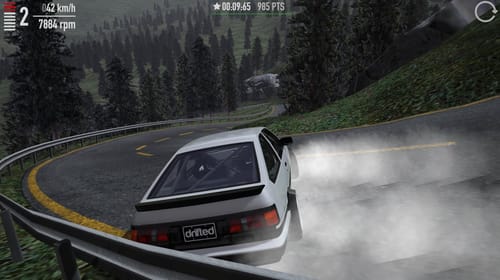
It’s obviously not going to compete with some of the stunning modern browser games that have come out since. UNBOUNDED, for example, will likely leave you shocked that it can run in your browser. Touge Drift & Racing is another great example of just how far things have come. But, as an all-rounder that prioritizes smooth performance over impressive visuals, this one still holds up nearly 10 years later.
Controls
PC/laptop/Chromebook
- W/Up arrow – Accelerate
- S/Down arrow – Brake/reverse
- A/Left arrow – Steer left
- D/Right arrow – Steer right
- Space – Handbrake
- V – Change camera
- O – Options
- B – Toggle rear-view mirror
- Page Up/Page Down – Manual gear shift (once selected in Options)
- M – Menu (double-tap to return to the main menu)

There’s a solid selection of camera angles to choose from, including in-car views on most vehicles (but not all).
Speed Racing Pro 2 isn’t available on mobile devices. But, if you’re on your phone or tablet, our mobile games section has loads of alternatives you can play on the go.
How to play Speed Racing Pro 2
Initial setup

You’ll see your currently-selected car when you enter the main menu. In the bottom-left, you’ll find the full 12-car lineup if you want to switch, and in the top-left, there’s a paint color picker with RGB sliders and a random button (in case you’re feeling indecisive!) Everything is free, so pick whatever catches your eye.
Once you’ve chosen your ride, press Enter to race. You’ll then choose between ‘Time Attack’, ‘Race’, or ‘Elimination’, which we cover in more detail below.
Getting started

Your first race will probably teach you the most important lesson in Speed Racing Pro 2 – that going flat-out simply doesn’t work. The cars are fast, the tracks are varied and intense, and you’ll soon get the urge to push things too far.
Lifting off the gas before sharper corners and applying the brakes when necessary on tighter sections will soon pay off. It’s better to be more cautious than to try to prove a point right away. Your AI opponents won’t sit around waiting if you fall behind, especially on the higher car classes (difficulty levels), so mistakes early in the race usually mean you’ll be spending the rest of it trying to claw back positions.

Crashing into other cars won’t cause any damage (although it might mess you up), and the collisions are pretty entertaining. If you’re not careful, venturing too far off the track can occasionally get glitchy, and you might end up stuck behind a barrier (ask me how I know!) If that happens, you’ll need to use Ctrl+Alt+X to go back to the start. Not ideal, but there’s no other option.
Once the racing fundamentals start clicking and you want something with more depth, Drift Hunters is a great next step. It offers similar physics to this one, which are forgiving enough for beginners, and the throttle and braking instincts carry straight over to drifting. After that, you can take things even further by progressing to the latest version, Drift Hunters MAX.
Game modes
Race
It probably won’t come as a surprise that this is the most popular pick. Before each race, you’ll set the car class (D through A, with D being the easiest), number of opponents (1, 3, 7, or 11), and laps (2, 4, 8, or 10). Starting in D class with plenty of laps to play catch-up is a solid way to learn the tracks, since you’ll be noticeably quicker than the AI. Bump up to C or B when it starts to feel too easy.
Elimination
The underrated classic. One driver gets knocked out at the end of each lap (or on a timed interval, depending on your settings), leaving you with very little room to screw things up. Pick 11 opponents on lap elimination and you’re in for an 11-lap survival run where one bad corner can potentially ruin your chances of bagging the win.
Time Attack
In this solo mode, it’s you against the clock on any of the six tracks. No opponents or distractions, just pure time chasing. It’s perfect for properly learning each circuit’s corners and elevation changes before going into races.
Speed Racing Pro 2 doesn’t have online multiplayer. But, if you’re wanting to race or drift with your friends, we’ve got loads of multiplayer games worth checking out. Drift King is a hugely popular choice, with real-time online lobbies where you can tandem drift with the gang on an enormous mountain touge road, or set up private rooms for crew sessions.
Car list
All 12 cars are free from the start, with absolutely nothing to unlock or pay for.
For the supercar fans out there, it’s a great lineup. But, don’t panic, they’ve thrown in a couple of drift-ready weapons, too!
The supercar names provide (not so subtle) hints at their real-world counterparts, where you’ll find the likes of:
- Veneno
- Pagani
- LaFerrari
- Huracan
- Ford GT
- Viper

- Enzo
- Veyron

There’s also a classic old-school muscle car (Classic Car in the game), and a wide-body Mustang (named Muscle Car) that handles completely differently from the mid-engine crowd. None of them are officially licensed, but you’ll know exactly what you’re looking at!
Handling-wise, the all-wheel-drive supercars are predictable and grip well through the corners, where RWD options like the Mustang want to step out (and will, whether you asked it to or not!) The Viper often has a mind of its own through the tighter sections, which is ironically pretty accurate to the real thing.
Track list

Six tracks are available, and the thumbnail previews don’t do a great job at breaking them down (they all look pretty similar in the selection menu). So, you’ll need to race each one to find your favorites.

The variety is there once you’re out on the circuit and finding your limits. Some feature big elevation changes with long downhill straights, while others throw tight, technical corners at you that’ll test you. You’ll want to consider the faster cars for those with longer straights and sweeping corners, while the tighter ones are where you might be better suited to a better handling, rear-wheel drive pick.
Tuning and customization

While we’d love to tell you there’s a full suspension setup with coilover adjustments and 2JZ swaps, the only thing you’ll be customizing here is the paint color. You get an RGB slider to pick the perfect paint job, or click the ‘Random’ button if you’re feeling lucky!
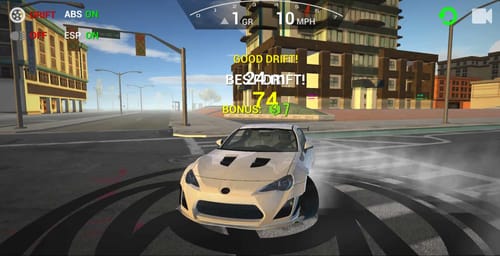
If the racing bug has you craving a game with more to tinker with between sessions, Top Speed Racing 3D offers drift events, time trials, speed traps, parkour obstacles, and visual customization where you can play around with wraps and vinyls before venturing into a massive open-world map. We’ve also got a whole lineup of other racing games worth exploring if you want to see what else is out there.
Advanced tips and tricks
Take your time learning each track before jumping to A class
Starting on D class gives you room to experiment without the AI punishing every mistake. Learn how to master the braking (or the handbrake) zones, figure out which corners you can simply lift the throttle on, and which ones you can go full throttle through. Then, when you’re ready, gradually step up through the next classes.
Use Down + Space for emergency braking
Pressing brake and handbrake together slams the car to a stop much faster than just braking. It’s a lifesaver when you’ve massively overcooked it going into a tricky corner, and once you get into the habit of keeping your left hand floating above the space bar, you’ll find yourself reaching for it more than you’d expect.
Give Elimination a go before committing to long Race sessions

Elimination forces consistent, clean driving since it just takes one slow lap and you’re out. It’s a much better teacher than cruising through 10 easy laps at the front on D class. If you can consistently survive Elimination on B or C class, Race mode on A will feel way less intimidating.
Challenge your friends with Time Attack laps
There’s no online leaderboard, but Time Attack is perfect for bragging rights. Race a track, screenshot your time, and get your friends to try and beat it.
Or, if you’d rather have something even more challenging, Polytrack takes things up a notch with global leaderboards and undoubtedly the most demanding lap challenges of any browser racer. It looks simple initially, but as soon as you play it, you’ll see it’s anything but.
Take your racing skills to the next level
Once you’ve mastered A class across all six tracks, NSR Street Car Racing is the closest thing you’ll get to the Need for Speed experience in your browser. Fifty cars, an open-world map, and online competition where all those racing lines you’ve been sharpening will come in handy.
Speed Racing Pro 2 FAQ
Can I play Speed Racing Pro 2 on my phone?
No, it’s PC/laptop only. Although it loads, there are no on-screen controls, so you’ll need a keyboard to play.
Is there a multiplayer mode in Speed Racing Pro 2?
No, all three modes are single-player only. If you want to compete with friends, you’ll need to share Time Attack lap times or take turns on the same device.
How do I restart a race in Speed Racing Pro 2?
Press Ctrl+Alt+X on your keyboard. It’s a bit of an awkward combination, but it resets your current race instantly. You can also press O to open the in-game options and change your settings from there.
What’s the difference between Elimination modes in Speed Racing Pro 2?
Lap elimination boots the last-place driver on each lap. Timed elimination removes them at fixed intervals indicated on-screen. Timed elimination is usually the better pick when you’re getting started, since you won’t be too familiar with the tracks to know when you’re nearing the line.
What’s the best car class to start with?
D class lets you get comfortable with the tracks and physics, but will likely become easy quickly once you’ve got the hang of it. So, once you’re consistently finishing near the front, move up to C and then B. Save A class for when you’re feeling ready for the main event
What’s the fastest car in Speed Racing Pro 2?
The Veyron is the fastest car, but often gets left behind in the twisties. Options like the Pagani and LaFerrari are better all-rounders. Or, if you’d rather go rear-wheel drive, give the Muscle Car (tuned Mustang) a try.
Written by:
Published on:

Joe is an avid writer and car enthusiast. When he’s not cruising the streets alongside his friends in his Nissan Silvia S15, he’s drifting on his VR racing simulator.
Joe’s passion for cars is always on display. With a keen eye for detail and a deep understanding of the automotive industry, he hopes his writing conveys his excitement and knowledge of cars and games.
Joe’s work has been featured on many platforms including drivetribe.com, 180sx.club, carthrottle.com, smartdrivinggames.com, smartbikegames.com, databox.com and ceoblognation.com.
When he’s not behind the wheel or at his keyboard, he’s likely daydreaming of his ultimate ride – the legendary Lexus LFA.
Follow Joe on X.
 Top Speed Racing 3D
 Drift Hunters Pro
 Touge Drift & Racing
 Racing Limits
 NSR Street Car Racing
 ACR: City Drift Racing