
Arcade Glide
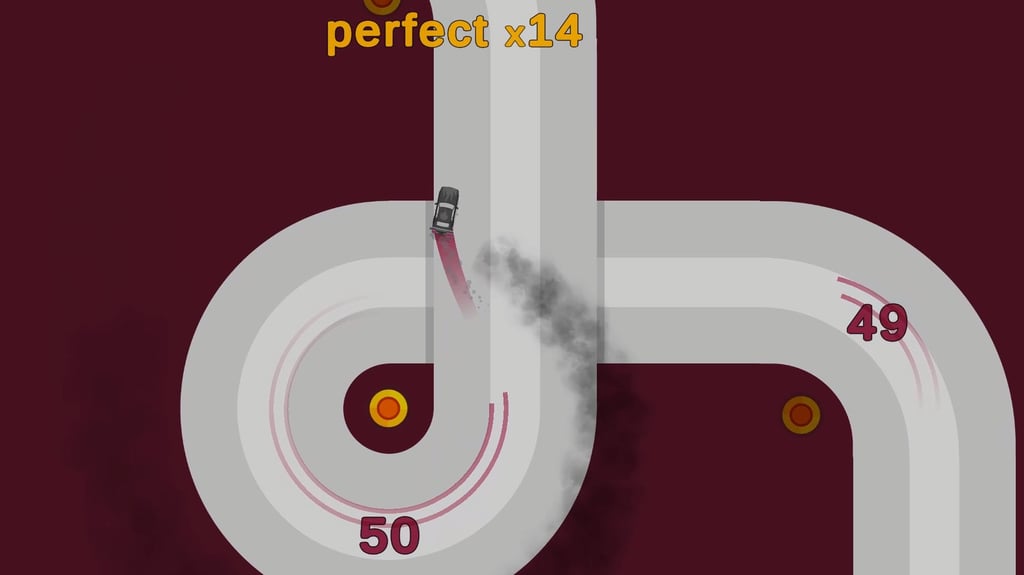
Table of Contents
Summary
Arcade Glide brings the popular “sling drift” browser game formula, then takes it to the next level. Your only job is to press and let go at the right moments to latch onto a red anchor point that swings you around each corner.

Nail the timing, and the car flows smoothly, confirmed by a ‘perfect’ pop-up. Hold it for just half a second too long, and you’ll be sent face-first into the wall and sent back to the start.
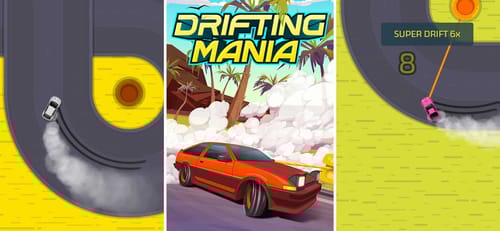
You only need to think about pressing one button (or the screen), and it takes about five seconds to understand, but the timing aspect is unforgiving enough to keep you humble. If you’ve played games like Drifting Mania before, you’ll be familiar with the goal, but this one offers far more cars and unique challenges.
Despite the simplicity, the challenges (after the first few) quickly become much harder than you’d expect, and you’ll get no shortage of playtime out of it if you want to complete the tasks and unlock the full car roster.
Features
- Release date – May 6, 2026
- Difficulty – Beginner/Intermediate
- Levels – Endless track
- Number of vehicles – 48
- Vehicle customization/upgrades – No
- Multiplayer – No (online leaderboards)
- Mobile – Yes
- Developer – AZGames
Physics

It’s all about the rope mechanic, and thankfully, it feels smooth and easy to get to grips with. Click to lock onto the anchor, and the car glides satisfyingly through the corner.
You’ll need to watch out at times, as the back end sometimes has a delayed weight shift after each drift, which can catch you out. Shorter, sharper swings throw the rear out more, so you can clear a corner perfectly and still clip the wall with your tail on the exit if you’re not careful.

Calm, smooth transitions keep the back end planted and settled, but the second you get overconfident and start cutting it tight, you’ll end up regretting your life choices.
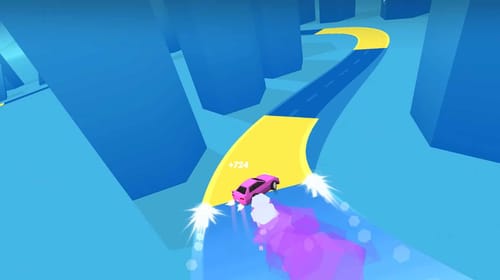
Tap Drift takes a similar precision-first approach but swaps out rope for rhythm-game timing. Think of it as a drift-based Guitar Hero, where you match the slide to yellow road markings for combo multipliers, with a 28-car roster ranging from a Skyline R34 to a lesser-seen drift DeLorean.
Graphics
As you can see, they’re plain and simple, just like we’d expect from a one-click browser game.

After you progress, the track shifts through different color schemes with each new level, from standard roads to a black-and-white ice mode, lunar backdrops, and desert vibes.
On higher-res screens, it can look a bit empty, but the extra visibility actually helps you read the corners further ahead.
It’s similar to Polytrack in providing stripped-back visuals but unforgiving physics and competitive leaderboards. However, that’ll require you to refine your driving skills and likely leave you chasing milliseconds for hours.
Controls
PC/laptop/Chromebook
- Left mouse click/hold (Release to let go)
- Spacebar press/hold (alternative)
The spacebar can feel more natural if you’re used to gaming on a keyboard. It’s worth giving both a try.
Mobile/tablet (iOS/Android)
- Screen press/release
It plays perfectly on mobiles and other lower-spec devices. There’s plenty more to try on our mobile games page if quick phone sessions are your thing.
How to Play Arcade Glide
Initial Setup
On the main menu, the settings icon sits in the top left (sound toggle only), with the pink garage icon (drifting car) on the middle left.

The leaderboard below shows day, week, month, and all-time rankings, and in the middle right, you’ve got the ‘Challenges’ menu.
At the bottom center, there’s a default player name you can click – make sure you customize this if you think you’ve got what it takes to get your name on the leaderboards.
Your current gem balance sits in the top right, starting at zero. Gems are the only currency in this game, and they’re only earned by collecting them on-track (not with points/combos).
When you’re ready, click around the ‘Click to Start’ text to begin (the clickable area is a bit picky, so you might need to try the less likely area above if it doesn’t load right away).
Getting Started
You’ll immediately notice that the car drives forward on its own, and the first corner pops up a quick tutorial.

A red anchor point sits at the apex of each corner, and clicking attaches a rope that swings you through. The longer you hold before releasing, the bigger the drift angle on your car. Let go at the right moment, and you’ll (hopefully) come out of it pointing straight.
If you let go too early, you can try quickly pressing again to re-attach as long as you haven’t drifted too far past. Once you’re too far beyond the anchor, the next one pulls you instead, and if you’re already angled at the wall, it’s only gonna make things worse, and you’ll likely get slammed into the wall.

Every corner scores one point (regardless of how clean it is). ‘perfect’ pops up when you nail the timing, and you’ll also build combos (perfect x1, x2, x3, etc), but they’re just a guide, and (unfortunately) don’t actually pay out extra gems.

Between the corners, you’ll sometimes get to ride through boost strips covered in arrows that shoot you forward and shower you with gems. Early strips give 3 gems each, later ones give 5. You’ll need to be centered on the track to scoop up all of them.

When (not if!) you hit the wall, it’ll result in instant game over, and you’ll need to restart from scratch. You can head straight back into the action, though, which takes the edge off.

As you progress, you’ll eventually get to the point where the track gets significantly narrower, and the game reaches a whole new level of difficulty.
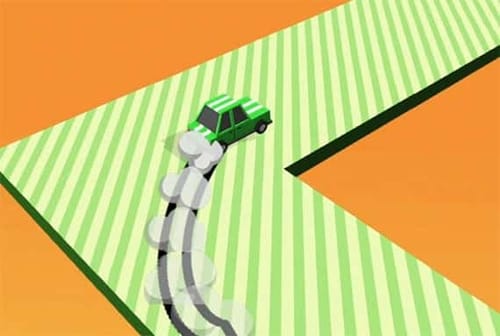
If you fancy trying something similar to this concept with a slightly different twist, Drift Boss keeps the same one-button drifting, but strips it even further, where you’ll need to zig-zag on floating roads without the rope mechanic to worry about. Moto Boss offers a near-identical experience for those who prefer riding on two wheels, along with many more in our motorcycle games section.
If you’re finding the timing tricky at first, Mini Drifts is the best game to practice with. You’ll get to slide on a single circular track, where the only thing that gets harder is the speed.
Challenges

There are 100 objectives in total, and they’re what make the game most entertaining. The early ones are laughably easy, like scoring 5 points or racking up a couple of ‘perfect’ slides. Initially, you earn 100 gems per completed challenge, and you can skip one for 200 gems if you’re stuck (with zero gems to start, skipping isn’t an option right away, not that you should need to at this point!).
Things soon get more interesting when the challenges go against the grain. For example, challenges like ‘Score exactly 15 points’ mean you’ll need to crash intentionally at corner 15 before you reach 16. ‘Reach score 3 without perfect turns’ forces you to deliberately drift badly for three consecutive corners without binning it, which is actually harder than it sounds once your muscle memory kicks in (you have to actively think about doing it wrong).
Make sure you keep an eye on what the next challenge is before each run, because you can’t advance until the current one is complete. Don’t forget to manually claim the rewards from the challenges menu, either, because they don’t auto-collect.
As the challenges get harder, the gem payouts get better, so everything picks up speed the further you get.
If you liked this aspect of the game, we bet you’ll love Escape Road 3. It’s a similar top-down game where you’ll rob a bank and need to outsmart the cops, with 84 achievements (similar to ‘Challenges’ here) to work through, and a 93-vehicle roster.
Car Selection
The garage features 48 cars, and you’ll notice a mix of familiar-looking vehicles ranging from typical supercars to quirky bonus vehicles with special features.

You start with the default car and unlock the rest by spending gems. 1,000 gems gets you a random unlock, or 1,250 lets you choose a specific one based on a pretty vague silhouette preview. Since you can’t see much of what’s on offer, the lucky dip element can be fun.
Most cars handle and drive pretty much the same (some feel a bit snappier than others, but it might just be a placebo), so the unlocks are mostly cosmetic.

If you want to fill the garage fast, the 1,000-gem random route is the way to go, but there’s definitely a fair grind. For a game this simple, it takes surprisingly long to unlock everything.
There’s no customization here, but if that’s what you’re after, Drift Hunters runs smoothly on similarly low-spec devices to this one, but gives you a selection of 26 sideways legends along with a huge selection of upgrade and tuning options, and a full color palette for body and rims. Alternatively, there’s plenty more drifting games on offer at Drifted if the one-button simplicity isn’t cutting it anymore.
Advanced Tips & Tricks
Always stay as close to the center of the track as possible

This sounds obvious, but it’s the foundation for everything here. You’ll get to scoop up all the gems on the boost strips, exit corners with plenty of room on both sides, and you’ve got margin when the back end flies out.
Think of each number on the track as a clipping zone

Aim for each number (conveniently placed perfectly in the center) like you would a drift zone, and you’ll naturally nail more ‘perfect’ slides.
Watch the back end after every corner
Even if you clear a corner cleanly, the rear weight shift can swing the rear into the wall on exit, and it’s (sadly) not wall-run-friendly! Shorter, snappier swings make this worse.
If you keep crashing on the exits, try holding the anchor just a fraction longer to widen your arc and give the back end more time to settle.
Be careful when it comes to 180s before the boost strip straights

After the big 180-degree corners with a long straight ahead, you’ll (hopefully get to ride through a boost strip covered in gems. The arrows auto-center your car if you’re roughly aimed right, which is a lifesaver when you’re not straight on exit, but if you’re too far off-angle before approaching it, there’s no rope to save you.
See if you can land a spot on the daily (or weekly) leaderboards
The all-time board is crazy hard to crack, but the daily and weekly boards are much more achievable. Don’t forget to set your custom player name before you start chasing them.
Once the leaderboards aren’t cutting it, and you want to go up against actual opponents, Survival Race throws you into fast-paced online rounds where hexagonal platforms collapse under everyone’s wheels, and you smash your rivals off the platform until just one car’s left drifting.
Arcade Glide FAQ
Is Arcade Glide free to play?
Yes. It runs in your browser with no downloads or sign-ups required.
How many cars are in Arcade Glide?
48. Opting for the random unlocks at 1,000 gems is the fastest way to fill the garage, or you can handpick your favorites for 1,250.
Do you get bigger payouts for ‘perfect’ combos?
Unfortunately not. They help with your timing accuracy and show up regularly in challenges, so they’re worth learning even though they don’t pay directly.
How do I earn gems?
By collecting them from boost strips on the track and completing challenges. Distance and combo multipliers don’t pay out on their own.
What happens when I crash?
It’ll be an instant game over, and you’ll head back to the start to do it all over again. The restart only takes about a second, though, so you’ll be right back at it.
Can I play Arcade Glide on mobile?
Yes. Phones, tablets, and lower-spec devices all play the game smoothly. Just press the screen instead of the left mouse button or spacebar.
Written by:
Published on:

Bill is a writer and photographer who has been part of the Drifted team since 2015. His work extends to various print and online publications, including Wangan Warriors.
As part of the King of Nations team, he traveled extensively for several years, capturing top-tier international drift events worldwide. His hands-on experience, including rebuilding his own Nissan Silvia S15 drift car, gives him unique insights into drift car building and global drift culture.
When not behind the lens or keyboard, Bill can be found browsing classifieds for his next JDM project or shredding virtual tires on popular simulators like Assetto Corsa, CarX, and Forza.
You can learn more about Bill’s story here or follow his socials on X (formerly Twitter), Flickr, Facebook, and Instagram.
 Arcade Car Drift
 Drift Boss – Drifted Games
 Drift.io
 Tap Drift
 Drifting Mania
 Drift Rider