
GP Moto Racing 3
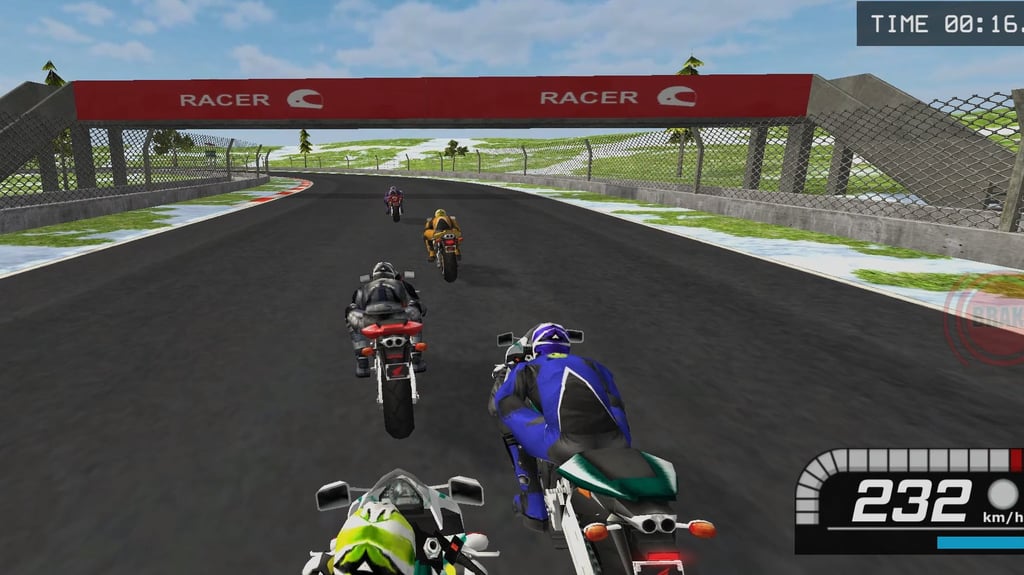
Table of Contents
Summary
GP Moto Racing 3 lets you compete against up to seven challenging opponents (or the clock) across a selection of super-fast circuits where you’ll need to practice patience and skill. If you’re hoping for a game where you can simply twist the throttle and expect to win, you’ll soon be in for a harsh lesson!

Once you’ve got used to the sim-style physics and can have some fun ahead of the other riders, there’s a Spacebar powerslide that kicks the back end out. It’s good for fun (or the occasional emergency), but tidy racing lines are by far the quickest way around.

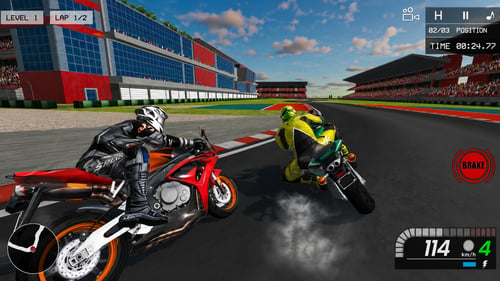
The much bigger grid is the most substantial improvement over its popular predecessor, GP Moto Racing 2. Race mode feels much more alive now, with more riders jostling for the top positions. Time Attack removes the other competitors and lets you focus on learning the tracks against the clock (without worrying about getting rammed into).
Both modes have their own set of challenges, along with plenty of achievements to bag along the way. The grippy and predictable handling makes it a great MotoGP-style browser racer for anyone eager to find the quickest way around a circuit, even if it’ll likely mean going over the handlebars a few times in the process!
Features
- Release date – Jan 11, 2023
- Difficulty – Intermediate/Advanced
- Levels/environments – 10
- Number of vehicles – 3
- Vehicle customization/upgrades – No
- Multiplayer – No
- Mobile – Yes (but potentially buggy)
- Developer – Vitality Games
Physics

This is definitely one of the more realistic simulator games for a browser-based offering, which usually have more of a “simcade” vibe.
Your bike grips up nicely on the asphalt, making it super predictable in the twisties. Lifting off the throttle is often all you need to get through the shallower corners, and you’ll soon discover that holding the brake for too long destroys your momentum. This is particularly painful on the starter bike since it isn’t exactly eager to get back up to speed, and you’ll need to watch your rivals blast off into the distance.
The spacebar kinda offers a bike-based hydraulic handbrake for when you wanna kick the back end out. Tap it and the rear steps out with a puff of tire smoke, which is amusing for showing off or rescuing an overconfident corner entry (it’ll only be a matter of time). Hold it too long, and you’ll scrub off far too much speed to be competitive, though. Shorter taps while turning provide the best results.
If you head off-track onto the icy grass on the outside, your bike will get stuck in an (amusingly terrifying) endless slide. To correct it, get back onto the circuit and countersteer until the wheels grip up again, or your little off-road adventure might continue longer than planned (and probably end in a sudden halt into the concrete barriers).
Graphics

While they’re nothing mind-blowing, the simple, lightweight 3D styling suits the game nicely, helping it run smoothly on most devices. If it’s stuttering at all, the H/L menu toggle switches between high (H) and low (L) graphics, mainly changing the shadows and textures to improve the experience on less powerful machines.
The bikes look cool, and each circuit is clean and mostly easy to see what’s coming up ahead, while the bike and rider move and lean fairly convincingly. The HUD provides the minimap (good for the harsher corners), speedometer, and rechargeable nitro meter at a glance.
Several camera angles are available, including a rider-position view along with some cinematic-style alternatives, but I don’t recommend playing around with them when you’re on track to take the win.
Controls
PC/laptop/Chromebook
- W/Up arrow – Accelerate
- S/Down arrow – Brake/reverse
- A/Left arrow – Steer/lean left
- D/Right arrow – Steer/lean right
- Spacebar – E-brake/drift
- Left shift – Nitro
- R – Reset bike
- H/L menu toggle (top right) – Switch between high and low graphics
Mobile (iOS/Android)
- On-screen directional controls – Drive and steer/lean
- Brake button – Brake and drift
- Nitro button – Nitro
The game opens and plays nicely, but during our testing, it was stuck at a 45-degree angle with no way to correct it. It may work normally on your device, but if not, our mobile games section offers a huge choice of ideal alternatives.
How to Play GP Moto Racing 3
Initial Setup
Press Play, enter your name, and choose the free starter bike to get you started (unless you wanna watch a load of ads with the $400 payouts).
Then, select “Race” or “Time Attack” game mode, pick the only unlocked track (for now), and play around with the cameras to find the one that works for you before things get serious! Race throws you straight into the main event, while Time Attack gives you more room to learn how the bike behaves (more on these below).
Getting Started

It might not feel too natural to drifters, but the main goal here is to ensure you keep as much momentum as possible throughout.
Practice lifting off early before the corners, and notice how much speed the bike loses on its own. Add a light brake tap at the last second if you feel you’re going in too hot, but you might be surprised how much it’ll grip up. Perfecting the fine line between optimal speed and not chewing concrete is the main learning curve.
Even the starter bike reaches around 300 km/h on the longest straights, so leaving every decision until the last second usually ends with a faceplant into the barriers.
Use the minimap to view upcoming blind turns and keep some space around the other riders. They’ll nearly always carry plenty of speed but certainly won’t always follow the line you’re expecting.
At these speeds, a tiny wheel clip is all it takes to send both bikes slamming into the barriers, quickly turning your optimal cornering plan into a surprise group activity.

If you do fall off (I bet it won’t take long), it’s often better to press R to reset rather than waiting for the starter bike to drag itself along the grass. A major crash early in a two-lap event is often worth a full restart since the rest of the field certainly won’t be hanging around out of sympathy.
The laps are fairly long for a browser racer, so a small mistake doesn’t always ruin the race. Keep riding cleanly rather than panicking, but be realistic when a drastic crash leaves the entire pack several corners ahead. You need at least top three to progress, so if that’s not gonna happen, just head back to the start.
Game Modes

Race

This puts you up against seven competitors on the circuit, where you’ll fight it out in two-lap contests, and you’ll need to secure a podium position to unlock the next circuit.
The larger grid gives the sequel way more energy than the three-bike lineup in GP Moto Racing 2, and every braking zone now becomes a little more interesting when somebody else decides it belongs to them!
Time Attack
As you probably guessed, TA mode removes the rivals and replaces them with off-track penalties. In this mode, a crash becomes a double loss since you already lose time falling off, then collect a penalty while recovering.
Annoyingly, the time target isn’t shown before (or during) the run, so the goal remains a mystery until you find out how many stars you’ve earned after crossing the line. As with Race mode, you need at least one star to unlock the next track.
Both modes use the same 10 tracks but keep the progression separate. Time Attack is generally the easier place to earn money and practice braking points before returning to Race to put your skills to the test.
If you’ve enjoyed shaving milliseconds off your lap times, PolyTrack takes the high-speed obsession much further, but on four wheels. You get instant restarts (which you’ll need), leaderboards with ghost chasing, and a track editor. It’s a must-try, and you’ll soon see why it’s one of our most popular racing games.
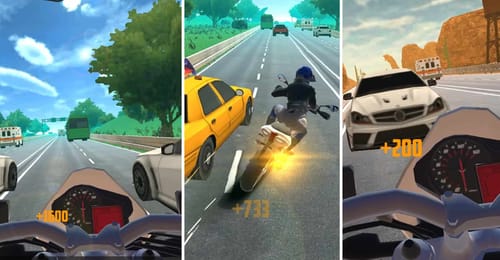
For a break from the track, Traffic Road is our most popular motorbike game, where you’ll need to thread tiny gaps through highway traffic on a selection of bikes.
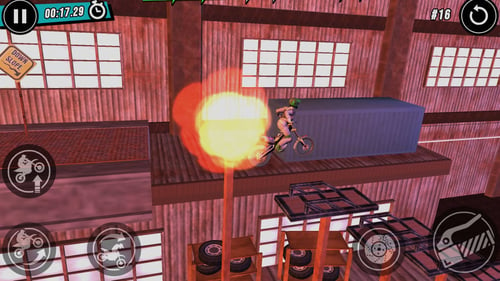
If those don’t sound intense enough, Stunt Bike Extreme throws near-endless explosions into the mix, where you’ll have to survive increasingly crazy trials bike levels – 270 of them, to be precise!
Achievements & Progression

Race mode awards one, two, or three stars for finishing third, second, or first. You need at least one star to open the next track, which is the same on Time Attack (although you’ll need to hope for the best with hitting them). The more generous payouts make TA the more sensible choice when you’re saving for your next bike.
Along the way, there are also 22 achievements to unlock that add some welcome mischief. You’ll unlock a couple purely by playing each game mode or using nitro, which you’ll likely do along the way anyway.
When you check out the others, you’ll see they require you to win races, spend a certain amount of time on-boost, and other fair concepts. However, as you scroll down, you’ll see it get a little less predictable, where you’ll eventually need to ride the wrong way and intentionally collide with opponents!
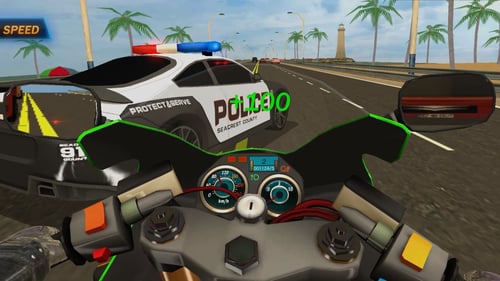
Players looking for a much larger garage and career can head over to Moto Road Rash 3D 2, where you get 19 bikes, upgrades, customization, traffic races, and more than 100 missions.
Bike List
While there’s no specs or clear performance stats for the three bikes, they vary wildly in their pricing, which will likely take longer to earn than you’re expecting:

- Starter (red) bike – Free

- Second (green) bike – $10,000

- Third (gold) bike – $27,000
Unfortunately, there’s no upgrades or tuning here. If you want another GP-style offering where you can tweak your ride with your earnings, MotoGP Racing Championship adds bike customization while retaining rivals and the same Shift-key nitrous enjoyment.
Advanced Tips & Tricks
Try easing off the throttle before reaching for the brake(s)

While we fully appreciate going sideways around corners is the most fun approach, if winning races is the goal, practice releasing the throttle before reaching for the Spacebar.
You’ll soon see that the deceleration prepares you better for the upcoming corners (as long as they’re not too tight) than you might expect. If you’ve overhit it slightly, a brief brake tap can finish the job without leaving your starter bike bogging down with a lack of acceleration.
Reset your bike the second you crash (rather than waiting)

Press R immediately after a fall, especially if you’ve ended up off-track. You’ll lose precious seconds getting back on, and in Time Attack you’ll also incur additional penalties. Pride won’t help you catch up with the seven riders who are already halfway through the next sector.
Use the nitrous wisely

Nitro recharges quickly and gives you a useful burst when you need it, but the (automatic) wheelie that comes with it reduces your ability to steer and lean.
Stick to using it on straights, shallow bends, and corner exits. When the finish is close, always empty the tank and grab every millisecond you can!
Save the sideways heroics for emergencies
A quick slide can help scrub off speed when you’ve badly misjudged a turn. It’s not gonna be exciting enough to blow away the usual drifting games crowd, and it’s more for quickly cutting speed.
GP Moto Racing 3 FAQ
Can I play GP Moto Racing 3 on mobile?
Yes. Well, possibly. It includes on-screen controls, but during our test, the display was stuck at a 45-degree angle. You might have more luck, though.
Does GP Moto Racing 3 have multiplayer?
No. Race and Time Attack are both single-player modes.
How do I unlock the next track?
Finish at least third in Race to earn a star. Time Attack uses its own star targets (and progression), but it doesn’t tell you the target time until the end.
Is drifting faster than following the racing line?
Typically not in this game, unfortunately (with some rare exceptions). A quick Spacebar slide can rescue a bad corner entry, but holding it scrubs off too much speed.
Written by:
Published on:
Bill is a writer and photographer who has been part of the Drifted team since 2015. His work extends to various print and online publications, including Wangan Warriors.
As part of the King of Nations team, he traveled extensively for several years, capturing top-tier international drift events worldwide. His hands-on experience, including rebuilding his own Nissan Silvia S15 drift car, gives him unique insights into drift car building and global drift culture.
When not behind the lens or keyboard, Bill can be found browsing classifieds for his next JDM project or shredding virtual tires on popular simulators like Assetto Corsa, CarX, and Forza.
You can learn more about Bill’s story here or follow his socials on X (formerly Twitter), Flickr, Facebook, and Instagram.
 GP Moto Racing 2
 Moto Road Rash 3D 2
 Moto Traffic Rider
 Xtreme Moto Mayhem
 Touge Drift & Racing
 Top Speed Racing 3D