
Rally Point 3
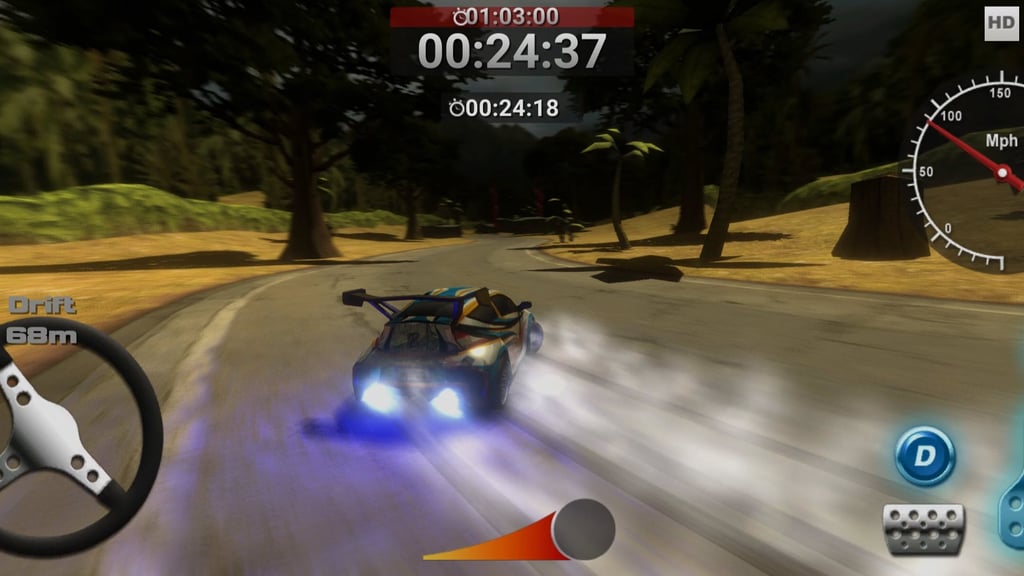
Table of Contents
Summary
Fancy some old-school browser rallying with nitro-fueled drifting, overheating engines, and massive fireball explosions? Look no further than Rally Point 3! The arcade handling is super easy to pick up, the cars are properly quick, and you can throw all six vehicles (including a couple of Dakar-style trucks) sideways instantly.

Like the previous game, most corners can be attacked with a quick press of the (much welcome) drift button, and throwing (almost) unlimited NOS into the mix lets you pull off bonkers speeds. However, hold the boost button for too long and the screen starts flickering. Ignore it for too long and BOOM, your car explodes into a massive fireball… As you probably guessed, it’s game over at that point.

There’s no in-depth career or cash grind slowing everything down. Anyone after a quick, fast-hitting racing game without needing to worry about saving up to unlock stuff should be able to unlock the full car/track roster in one go. Alongside the vehicle and level unlocks, a selection of achievements hands you some fun extra challenges to bag along the way, but it’s definitely not one for players chasing weeks of progression (unlike games like Drift Hunters MAX).
If you fancy a quick hit of high-speed, timed rally action, with forgiving physics and plenty of encouragement to push your luck, it’s well worth a try. It’s perfect for when you want some chilled fun away from the more serious sim drifters and just fancy throwing a rally truck sideways across a (thankfully empty) tropical beach at full boost, y’know?
Features
- Release date – August 26, 2021
- Difficulty – Beginner
- Levels/environments – 6
- Number of vehicles – 6
- Vehicle customization/upgrades – No
- Multiplayer – No
- Mobile – No
- Developer – XformGames
Physics

Rally Point 3 opts for fun and forgiving arcade handling rather than realistic rally physics. Press Shift or X and the rear steps out immediately. Release it, and all the all-wheel drive grip seems to return at once (regardless of the terrain), snapping the car straight when you need it.
You can hold the drift button whenever you want, but be warned that the extra sliding cuts into your speed a little if you’re aiming for the time goal (like trying to drive with your handbrake on).

A quick press is best for tight turns (combined with left foot braking, if you like), while holding drift and nitro together can send the car into a huge powerslide through a faster, shallower bend. It feels sick when you get the angle right, and full of regret when a boulder instantly brings the whole thing to a dead stop.
Lifting off the throttle is often the quickest way through a standard corner, so drifting isn’t an automatic go-faster button for every scenario. The simplified setup won’t teach you much about real-world weight transfer or advanced drifting skills, but it’s a decent introduction to sliding for anyone dipping into drifting games for the first time.
Tarmac, sand, dirt, grass, and rain look totally different but provide fairly similar levels of grip. There’s no damage model either (you’ll want to check out our stunts and crash games for that). A crash kills your momentum, but the car stays in one piece (well, unless you overheat the engine and blow it up!).
Graphics

While they’re not the ultimate, the visuals have nostalgic old-school browser-game styling, especially compared to the latest and greatest options out there like UNBOUNDED, but they suit the fast arcade vibes nicely. In the main menu, HD is the best option if your computer can handle it. MD is decent, but SD gets noticeably blurry (but it’s optimal for low-end devices).
As the nitrous kicks in, the camera pulls back, and the scenery begins flying past with plenty of motion blur, giving the fastest sections a proper warp-speed effect. Along the journey, rain, darkness, beaches, jungle roads, and steep cliffside drops keep the tropical beach/jungle theme fun and varied.
Controls
PC/laptop/Chromebook
- W/Up arrow – Accelerate
- S/Down arrow – Brake/reverse
- A/Left arrow – Steer left
- D/Right arrow – Steer right
- Shift/X – Drift
- Space, Z, or E – Nitro
- R – Reset car
- Esc or P – Pause/menu
- C – Look behind
I found it easiest to keep my left hand on the Shift and Space keys, making it easy to use drift and boost together. Unlike most games where you get a variety of camera angles, C only looks behind the car in this one.
Mobile/tablet (iOS/Android)
- Not supported
Although Rally Point 3 loaded during mobile testing (and looks like it should work perfectly on mobile devices), the only working button combined the throttle and nitro. With no usable steering or braking, I ended (unavoidably) driving straight into a wall, so I’m concluding that it isn’t playable on a phone or tablet!
How to Play Rally Point 3
Initial Setup
On the main menu, first open achievements (cup icon in the top-right corner) to see what you’ll want to consider working towards. Options like ‘Rally Novice’ ask you to win one race, while the other challenges cover drifting, nitro use, top speed, and intentionally exploding a few engines.
Next to it, the question mark icon explains the controls and warns you about the overheating engines. Next to that, you can switch between SD, MD, and HD graphics or use the speaker icon to toggle the sound.

When you’re ready, click ‘Play’ to reach the track selection screen. Tracks 1, 2, and 3 are available immediately, with the remaining three currently locked underneath.

Pick an opening route, then choose from three starter cars (ForceZ, Vulcan, or Bison), and get familiar with the controls quickly since the countdown begins as soon as you start the game.
Getting Started

Every run sets a target time for you to try and beat. Track 1 starts with a 1:03 target, and the split timer updates whenever you pass a checkpoint. A red split means it’s probably time to lean harder on the nitro and take a few more risks.
If one of the locked vehicles has already caught your eye, ‘Try Car’ lets you have a test drive early. You’ll still need to complete the relevant later track to unlock it permanently.

There’s no minimap or co-driver calling out the route up ahead (and you’ll wish there was at times). Follow the road signs and glowing red checkpoint markers instead, especially on the dark tracks.

If you’re behind on time, don’t panic about going through (or around) the checkpoint markers (it’ll let you off), and cutting across dirt or grass is also completely fair game.

The use of nitro is unlimited, but engine heat keeps you from holding it non-stop. Instead, use long bursts, release the button when the screen starts flickering, give the engine a moment to cool, get straight back on it, and repeat (when it’s safe to do so). Push beyond the warning for too long, and the car explodes, forcing you to restart the entire run.
Other mistakes aren’t quite so final. You can press R when the car gets wedged against the scenery, and falling from a cliff resets you onto the course, while hitting a rock, building, large tree, signpost, or wooden fence simply wipes away your speed or brings you to an instant standstill.
A small bug I noticed was that I occasionally had to click ‘Continue’ twice after finishing a run. The first click just returned me to the same screen, but pressing it again moved it along.
Game Modes

The only game mode is the traditional Time Attack-style timed rally stages. Beat the required time, unlock the next track (and car on later levels), and keep going until the full route and car selection is unlocked.
The achievements give you something else to chase along the way. For example, ‘Drift King’ needs a 100-meter slide, ‘Nitro Maniac’ asks for 200 meters of boost, and ‘Speed Freak’ rewards anything above 200 mph. Blowing up ten engines earns ‘Road Rage’ too (yay, a reward for getting greedy with the nitro!).
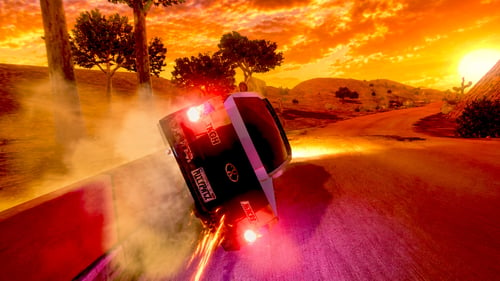
Fans of Rally Point 2 will already know the score here. Both games use six cars, six tracks, a drift control, and nitro that eventually cooks the engine. Rally Point 3 removes the earlier speed limiters and replaces five of the vehicles, making it the quicker and more intense successor.
The previous game does offer more varied environments and a little less craziness, so it comes down to whether you want extra speed, a broader change of scenery, or a few more cars in a similar theme.
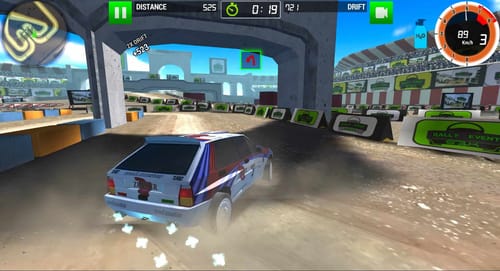
If you don’t fancy a long grind, the compact setup is a rare and welcome bonus. There isn’t loads left once every target has been beaten, though. For the same loose rally handling along with much more to work through, Rally Racer Dirt adds Career and Survival challenges, as well as the ability to play online with your friends.
Car Selection
All six cars use fictional names with some fairly recognizable real-world inspiration:
- ForceZ (Based on the Honda CR-Z Touring Car) – Available from the start
- Vulcan (BMW M6 E63/AC Schnitzer Tension-inspired) – Available from the start
- Bison (Similar to the massive Dakar-style DAF CF rally truck) – Available from the start
- Spear (Ford Fiesta RS WRC-inspired) – Unlocks after Track 4
- Tsunami (Toyota Celica ZZT231 vibes) – Unlocks after Track 5
- Juggernaut (Random 4×4/Dakar-style mashup) – Unlocks after Track 6

ForceZ and Vulcan are the sensible opening choices. The massive Bison is good fun to throw around, but struggles to get much beyond 100 mph without nitro, and is nowhere near as agile as the cars. However, the durability of the engine lets it hold boost for longer before the heat becomes critical. Throwing an old-school Dakar-style truck sideways across a beach is every bit as funny as it sounds.

Juggernaut gives you another chunky 4×4 later on, although it looks tiny compared to Bison. Both these larger vehicles feel heavier and slower to turn, so the roster isn’t purely cosmetic despite the simple handling.
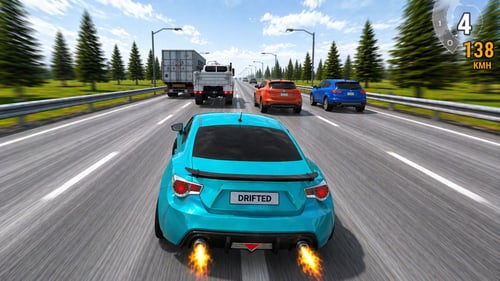
There’s no tuning or upgrading in this one, unfortunately. If changing between pre-tuned rally cars isn’t enough and you’d rather work on the setup, Traffic Rally lets you hit up the highway. Despite the name, you’ll swerve through busy city traffic, along with customizable gear ratios, ride height, and camber to adjust throughout a much longer Career mode.
Tracks and Locations

The six tracks reuse similar-looking sections of a tropical area rather than sending you to unique locations each time. The routes move between beaches, jungle, and mountain roads with cliff edges. Later rain and darkness often make the familiar sections much harder to read.
Terrain and weather changes don’t dramatically transform the handling. Their biggest impact is visibility, especially on the night routes where there’s no minimap to rescue you and you’re clearly relying on ’90s-era headlights.

Track 4 became so dark in a well-lit room that I spent more time crashing into the scenery than on the road. In these levels, the road signs and inflatable, glowing checkpoint markers are your best guide through the darker beach and mountain sections.
Small plants and trees can often be driven through, but boulders, buildings, walls, large trees, metal posts, and wooden fences stop you dead. Even at around 200 mph, the fences don’t budge an inch. (Yeah, I found that out the hard way!).
Advanced Tips & Tricks
Red screen flickering is your final warning before an imminent explosion
Release the nitro soon after the display starts flickering. The engine only needs a brief cooldown, so you can get back onto the boost quickly without turning the run into another fireball.
Choose whether to lift, drift, or use both in the twisties

Lifting off often helps you carry more speed through a smaller bend. A short press of Shift or X (drift buttons) gets the back end out faster on a tight corner and helps scrub off some speed, while drift and nitro together suit wide, shallow turns where there’s room to correct things if you start heading for a massive rock.
A bad split calls for more nitrous
Watch the live split at each checkpoint. A comfortable lead gives you room to cool the engine, while a red split is your cue to take more risks in an attempt to claw back the time before the finish.
Be careful when taking shortcuts

Cutting across the grass, dirt, and smaller plants can save time (and you won’t get a penalty). However, hitting rocks, buildings, large trees, signposts, and fences will leave you smashing into them. So, it’s worth ensuring the coast is clear (assuming you can see far enough ahead) before committing to a heroic shortcut.
Reset your car if it gets stuck, rather than waiting for it to reset automatically
Hit the R key right away if your car gets stuck. Waiting won’t free it, and an early reset will often save you valuable milliseconds rather than leaving Bison arguing with a rock!
Rally Point 3 FAQ
How many cars and tracks are in Rally Point 3?
There’s six cars and six tracks. Three of each are available from the start, with the rest unlocked as you complete the later routes.
Can I play Rally Point 3 on mobile?
No. The game loaded during testing, but there wasn’t any usable steering or braking despite the clear on-screen controls.
Does Rally Point 3 have multiplayer?
Nope. It’s completely solo (Time Attack-style), where it’s just you against the clock.
How do I drift and use nitro?
Press Shift (or X) to drift. Space (or Z/E) activates nitro, and you can hold throttle, steering, drift, and nitro together for a huge boosted slide.
Why does the car explode?
You’ve held the nitro too long after the overheating warning. Release it when the screen begins flickering, or the engine will let go and end the run in a massive fireball.
How do I unlock the other cars and tracks?
Beat the target times and complete the later tracks. ‘Try Car’ gives you an early test drive, but you’ll still need to finish the relevant track to unlock that vehicle permanently.
Can I tune or customize the cars?
No. Every vehicle comes as-is, and there’s (unfortunately) no upgrades or tuning.
What can I do after unlocking everything?
Work through the remaining achievements or keep attacking your best times. If you’ve loved this one and fancy more cars and tracks, Rally Point 2 is also well worth a try.
Written by:
Published on:

Joe is an avid writer and car enthusiast. When he’s not cruising the streets alongside his friends in his Nissan Silvia S15, he’s drifting on his VR racing simulator.
Joe’s passion for cars is always on display. With a keen eye for detail and a deep understanding of the automotive industry, he hopes his writing conveys his excitement and knowledge of cars and games.
Joe’s work has been featured on many platforms including drivetribe.com, 180sx.club, carthrottle.com, smartdrivinggames.com, smartbikegames.com, databox.com and ceoblognation.com.
When he’s not behind the wheel or at his keyboard, he’s likely daydreaming of his ultimate ride – the legendary Lexus LFA.
Follow Joe on X.
 Rally Racer Dirt
 Rally Point 2
 Traffic Rally
 Drift Rally Champion
 Drift.io
 Slippery Drift Racing