
Traffic Tap Puzzle
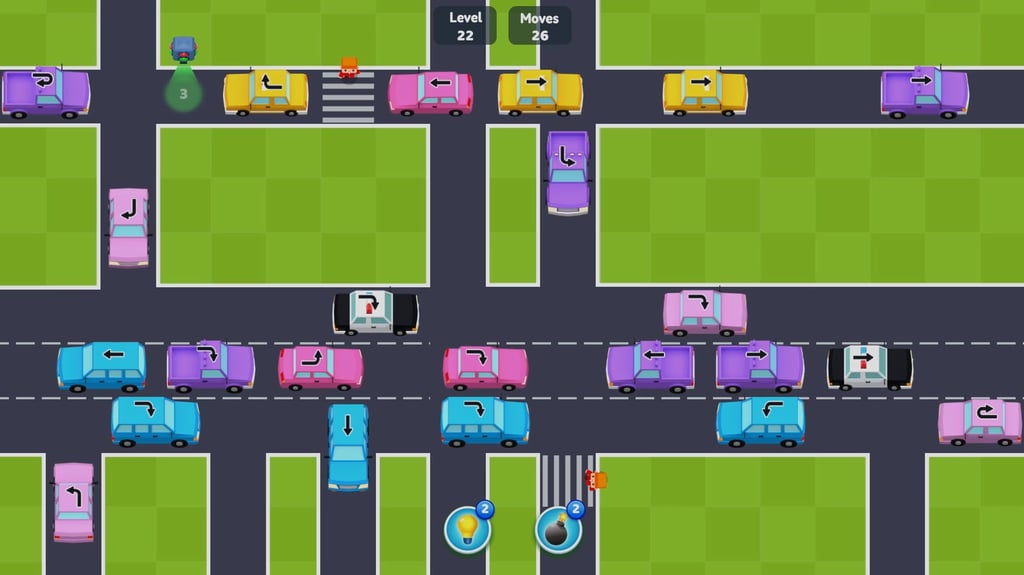
Table of Contents
Summary
In Traffic Tap Puzzle, the road soon gets packed with cars, all with an arrow on the roof, and the only thing you need to think about is deciding which one leaves next.

Unlike most browser games, you don’t need to juggle the steering, e-brake, throttle, or brakes (and certainly not a clutch!). Instead, just a simple click sends each car along its set arrow-based route, and you’ll need to decide the safest route without running a light, crashing, or worse, hitting a pedestrian.
The first three levels couldn’t be easier, with the in-game tutorial clearly showing what to press next. Soon after, Level 4 removes the helpful hand and throws 16 cars onto a (much) busier road network (so much for the gentle tutorial, huh?). Thankfully, it looks worse than it is. Take your time, read the arrows, release the cars one at a time, and let each departure create room for the next.
There’s no timer, making it a chilled alternative to our usual stunt and drift games. Despite it being perfect for all ages, the later levels will still make you think as you juggle swerving pedestrians, changing traffic lights, and wider roads with multiple lanes.
If you enjoy organizing the chaos in this one, our other puzzle games offer many more ways to give your brain a gentle (or intense) workout.
Features
- Release date – February 18, 2025
- Difficulty – Beginner
- Levels – 40+
- Number of vehicles – 15
- Vehicle customization/upgrades – No
- Multiplayer – No
- Mobile – Yes (Android/iOS)
- Developer – GameBerry Studio
Physics and Graphics

It’ll be clear from the start that the focus is traffic management rather than your usual driving game, and the cartoony graphics are as simple as you’d expect, but they fit the overall vibe well.
Each car follows the arrow painted on its roof and turns automatically after you’ve given it the all-clear, including around routes with several corners.
You’ll unlock a variety of vehicles, but they don’t change the speed or behavior, and you’ll be left disappointed if you’re expecting any high-intensity sideways physics and smoke clouds in the corners.
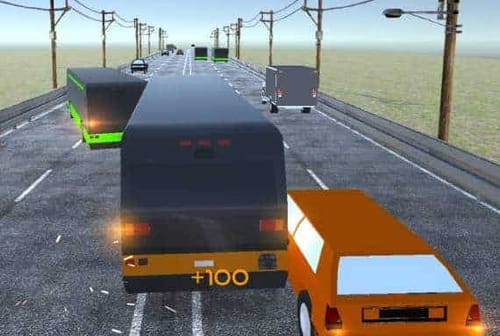
If you’d rather a game that lets you take full control, Highway Traffic lets you blast down a highway with weather-dependent handling, with fragile bombs on board, and near-miss combos. Or, for something that might improve your real-world parking skills instead, Car Parking Simulator is the more methodical option, with 25 parking challenges and a free-roam area.
Controls
PC/laptop/Chromebook
- Left mouse button – Send the selected car along its set arrow route
- On-screen buttons:
- Pause
- Use a hint
- Activate a bomb
Mobile/tablet (iOS/Android)
- Tap a car – Send it along its set arrow route
- Other buttons:
- Pause
- Use a hint
- Activate a bomb
Anyone after a one-button drift game needs to give Drift Boss a try, where pressing and releasing changes lets you manji and transition through the layout. Drifting Mania is another alternative, but your drift car is tethered to corner anchors, and you’ll need to let go at the perfect time to avoid crashing.
Don’t fancy those? We’ve got a whole mobile games section dedicated to optimized touchscreen-friendly alternatives.
How to Play Traffic Tap Puzzle
Initial Setup

The main menu opens with 100 coins and two game options: ‘Play’ and ‘Shop’. Separate buttons at the bottom toggle music and sound effects if you want to turn those off.
It’s worth opening the shop before you get started. You’ll see your free pink starter car in the equipped ‘Collection’, while ‘Available’ shows the colors and vehicle styles you can buy when you’ve got some more cash. Below that, you’ll see several locked vehicles. These will be gifted to you for free when you reach the stated level.
You can’t afford anything with the opening 100 coins (not even one of the 500-coin color variants), so this first visit is mainly a preview so you can see if there’s anything you wanna save up for.
Getting Started

Level 1 couldn’t be much easier, with just three cars at a crossroads, with a large hand pointing at the first one you need to move. Click it, and it’ll follow the straight arrow on its roof. The hand then moves to the next safe choice. Levels 2 and 3 introduce curved and multi-turn arrows without taking away the (literal) helping hand.
Each new area shows the level and remaining moves at the top. The objective is to clear every car before the allowance runs out, but there’s no countdown clock to worry about, so take as long as you need to trace each route and check whether it’ll likely end in disaster.

Level 4 is where the proper puzzle begins. The hand disappears, 16 cars arrive, and several routes cross over one another. Start with a car that has an obvious open exit. Once it leaves, the new gap often reveals the next safe move, turning a once-intimidating screen into a sequence you can (gradually) untangle.

Mistakes are forgiving at first. Smash into another vehicle and a small impact knocks it back to its starting position, costing one move. If you eventually run out of moves, you can retry the level, or watch an ad for five extra moves.
Be warned that junctions can be deceptive at times. A gap that looks like it might be just about wide enough could still be too tight for the car to pass cleanly.

Pedestrians start to appear at Level 8 and change the stakes. They cross during a set window, and hitting one causes an immediate failure rather than another move penalty. Parents will be relieved to hear the impact isn’t graphic, but the game still forces you to restart (or watch a video to revive). If the level has only just begun, just restarting is usually quicker.

Shortly after, traffic lights arrive, adding another complication to consider. They switch cleanly between red and green with a visible countdown, and running a red light costs two moves.
On later routes, you’ll often need to clear a light before turning toward a separate crossing. If it’s green the moment you click, it won’t guarantee a safe journey. You’ll need to consider how long the car will take to reach every hazard. Two- and three-lane roads eventually give the longer, complicated arrows more ways to overlap, where you’ll really need to think about your next move.
For another one-click game with a similar vibe to this one, Parking Adventure focuses more on the timing aspect, where the one-click approach slides you into a 180-degree handbrake turn to try and park perfectly. Our other parking games have plenty more varied vehicle puzzles to try, too.
If you’re after a driving puzzle-style game that’s truly challenging (I’m not exaggerating here!), Drive Mad provides you with a totally different vehicle over more than 100 physics-based levels, where you’ll need to try and figure out how to get each one to the finish line.
Cars, Coins and Boosters

Completing each level pays out 100 coins, and the reward doesn’t increase when the roads become (much) harder. The shop contains 15 variations (but most are just skins), including the starter. The first color and police-car (skin) alternatives cost 500 coins, while another body style ranges from 700 to 1,100.
The locked vehicles are gifted to you as you progress. The taxi unlocks at Level 10, with pickup and SUV variants appearing at later milestones through Level 40. Anything you buy or unlock can be added to your equipped collection (you can have multiple different vehicles), so you’ll begin to get more variety appearing as you work through the levels.

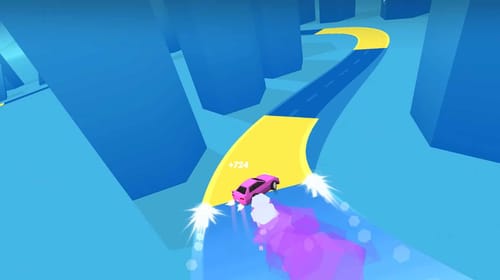
The car variations are purely visual, and none of them are faster or easier to route. As you probably guessed, there’s also no upgrades, performance statistics, or custom paint jobs. For a one-input game where a 28-car garage gets mixed with combos and global leaderboards, Tap Drift gives each run plenty of competitive pressure (it’s kinda like a drifting Guitar Hero).
You begin with three light-bulb hints and three bombs at the bottom of the screen. A hint (bulb) automatically clears a car, although it may not choose the blocker you had in mind (it isn’t quite psychic).

A bomb, on the other hand, lets you select a specific car to remove (well, blow up). Both can help when you’re struggling, but given how limited they are, it’s best to keep them for later levels.
Advanced Tips & Tricks
Plan the whole route before you send the cars on their way
A clear first junction doesn’t mean the rest of the journey will be quite so clear-cut. Map out every bend displayed in the roof arrow and check for cars, lights, and crossings farther along. This becomes essential when several routes share the same road.
Clear the obvious exits first to create space

Look around the outside of the layout for cars that can easily leave without crossing the busy center. Removing these creates gaps and reduces the number of arrows competing for your attention.
Try to leave a little extra room around junctions too, as the spacing can be wider than it looks.
Save the bombs and hints for when you’re totally stuck
Try to solve the puzzle normally before resorting to the helpers, as it’s much more satisfying.
A bomb is most useful when you’ve got a specific awkward car blocking several exits, while a hint is better when you simply can’t figure out the next safe move.
Traffic Tap Puzzle FAQ
Can I play Traffic Tap Puzzle on my phone?
Yes. It works perfectly on all Android and iOS devices, and you tap the cars the same way you’d left-click on a computer.
How many levels does Traffic Tap Puzzle have?
There are more than 40 levels. The layouts expand from simple crossroads into bustling cities with crossings, traffic lights, and multilane roads.
What’s the fastest car in Traffic Tap Puzzle?
They all travel at near-identical speeds, and the different car types are just there to provide a little more visual variation.
What happens when cars crash?
It’s not too dramatic. After a few sparks fly, the selected car returns to its starting position and you lose a move. The level then continues unless that mistake uses your final move.
Does hitting a pedestrian end the level?
Yes. At that point, you can choose to restart or watch a video for another life.
Does Traffic Tap Puzzle include driving or drifting?
No. You choose when each car leaves, but the turning is automatic. They all handle like they’re on rails with no smoke clouds or backward entries (unfortunately!).
Written by:
Published on:
Philippe Daix is a seasoned automotive writer and entrepreneur who founded TopSpeed.com in 2005. After nearly two decades shaping online car journalism, he brought his passion for drifting and performance culture to Drifted.com in 2024. His work blends technical insight, storytelling, and a lifelong love for high-performance machines.
 Tap Drift
 Highway Traffic
 Crazy Traffic Racer
 Formula Traffic Racer
 Traffic Rally
 GT Traffic Racer