
Drag Battle: Street Racing
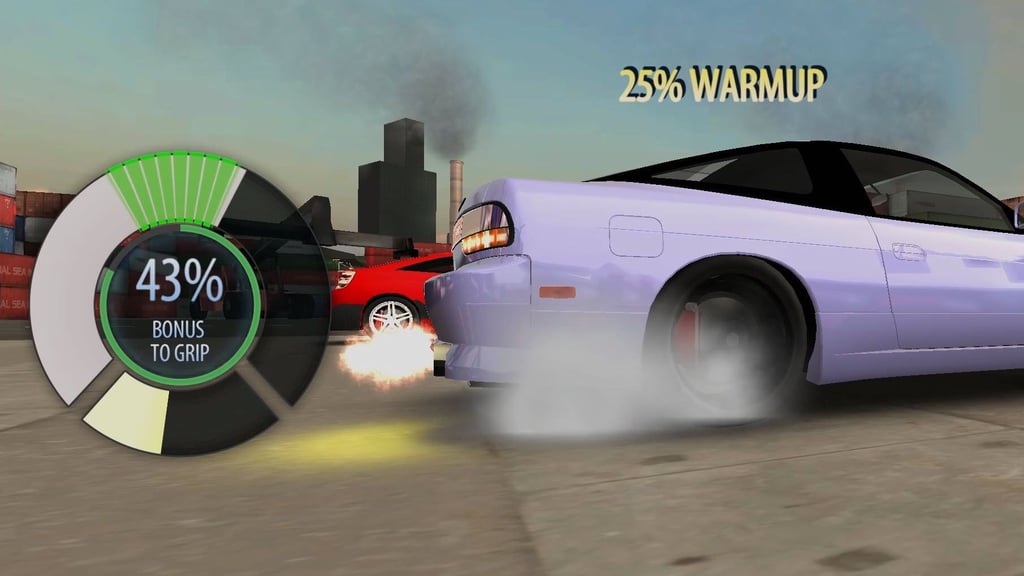
Table of Contents
Summary
If you fancy a break from thinking about transitions and counter-steer, you’ve come to the right place. In Drag Battle, you’ll need to master a different kind of car control, where steering becomes irrelevant.

Instead, the skill lies in heating up the tires, hitting the right RPM at launch, nailing each gear change, and timing the nitrous so it’s empty by the time you cross the finish line (hopefully as the winner!).
You don’t need to worry about missing your favorite drift cars, either. The stunning 25-car lineup offers the same Japanese favorites you’d choose in your favorite drifting games. On top of that, you get to fit and upgrade body kits, choose from a selection of BGWs, tweak tire-pressure settings, gear ratios, and power upgrades, along with driver perks that give you plenty to fuss over between races.
Along with the awesome graphics, there’s also an in-depth story-led Career mode with bosses (and plenty of other events) which make it more of a long-term game than another quick drag racer you’re likely to play for five minutes before you get bored.
Features
- Release date – May 2026
- Difficulty – Intermediate
- Levels/environments – 4 regions
- Number of vehicles – 25
- Vehicle customization/upgrades – Yes
- Multiplayer – No
- Mobile – Yes
- Developer – Ice Storm Studio
Physics

They might seem a little odd to drifters at first, since most of your usual skills won’t come into use. Instead of managing angles and weight transfer, you’re focused on maximizing traction and shifting at the perfect time. It sounds simple, but a sloppy burnout (or launch) can leave you helplessly watching the other car disappear before you’ve even got a chance to shift.

The warm-up is the first proper test. The green target moves while you hold/tap the gas, and you need to keep inside the line for the best result. It takes a bit of getting used to. Better tire prep gives more bite into the asphalt, then keeping the launch meter near the optimal green RPM band on the start line provides the best chance as you blast down the strip.
Each shift comes with another split-second timing decision, and nitrous (once installed) throws in yet another thing to manage before you reach the finish.
Upgrades and driver perks soon come in useful since they give you a little more room to breathe (until you go up against tougher competitors, at least!).
The overall feel will be super familiar to fans of the old-school Drag Racing Rivals, but this modern alternative offers a far more refined and impressive overall package.
Finding yourself missing the opposite lock? Drift Max Pro provides an odd halfway house. It keeps the timed shifts and nitrous, then asks you to throw down a one-button 180-degree drift halfway through before sprinting back to the start.
Graphics

Polished low-lit city streets, pre-tuned (and further upgradable) rides, and pools of neon make the first races look way more impressive than you’ll expect from a browser drag game (let’s be honest, the classics aren’t known for their visuals!).
Later, the action moves on to the usual browser game-favorite location, the Dockyard, and the industrial backdrop provides a welcome change.
The overall look gives off similar vibes to UNBOUNDED. Both games share the same awesome, highly-modified cars under city light vibes, but UNBOUNDED lets you switch it up with free-roam drifting where you can play with your friends in online multiplayer lobbies rather than keeping every run in a straight line.
Controls
PC/laptop/Chromebook
- Space/Mouse click on gas pedal button – Warm up tires/burn out and launch
- Enter – Shift gear up
- Left Shift – Use nitrous
Mobile (iOS/Android)
- On-screen gas pedal button – Warm up tires/burn out and launch
- On-screen shift button – Shift gear up
- On-screen nitrous button – Use nitrous
Just like the rest of our mobile games on offer, this one plays perfectly on mobiles within your browser.
How to Play Drag Battle: Street Racing
Initial Setup
Rina and Max introduce themselves by arguing over who’s gonna win your first race, with a full tank of gas riding on the result.
The tutorial then walks through a complete run. On a keyboard, I’d stick with Space (instead of faffing around with the mouse), because it makes the changing burnout and launch targets much easier to nail. It’s clear the on-screen controls are for mobile players, but the option’s there if you want them.
- Warm the tires – Hold Space and keep the line inside the moving section (by tapping). The better the warm-up, the more traction you’ll have at launch.
- Set the launch RPM – Press Space again and hold (and tap) to keep the needle around the green band.
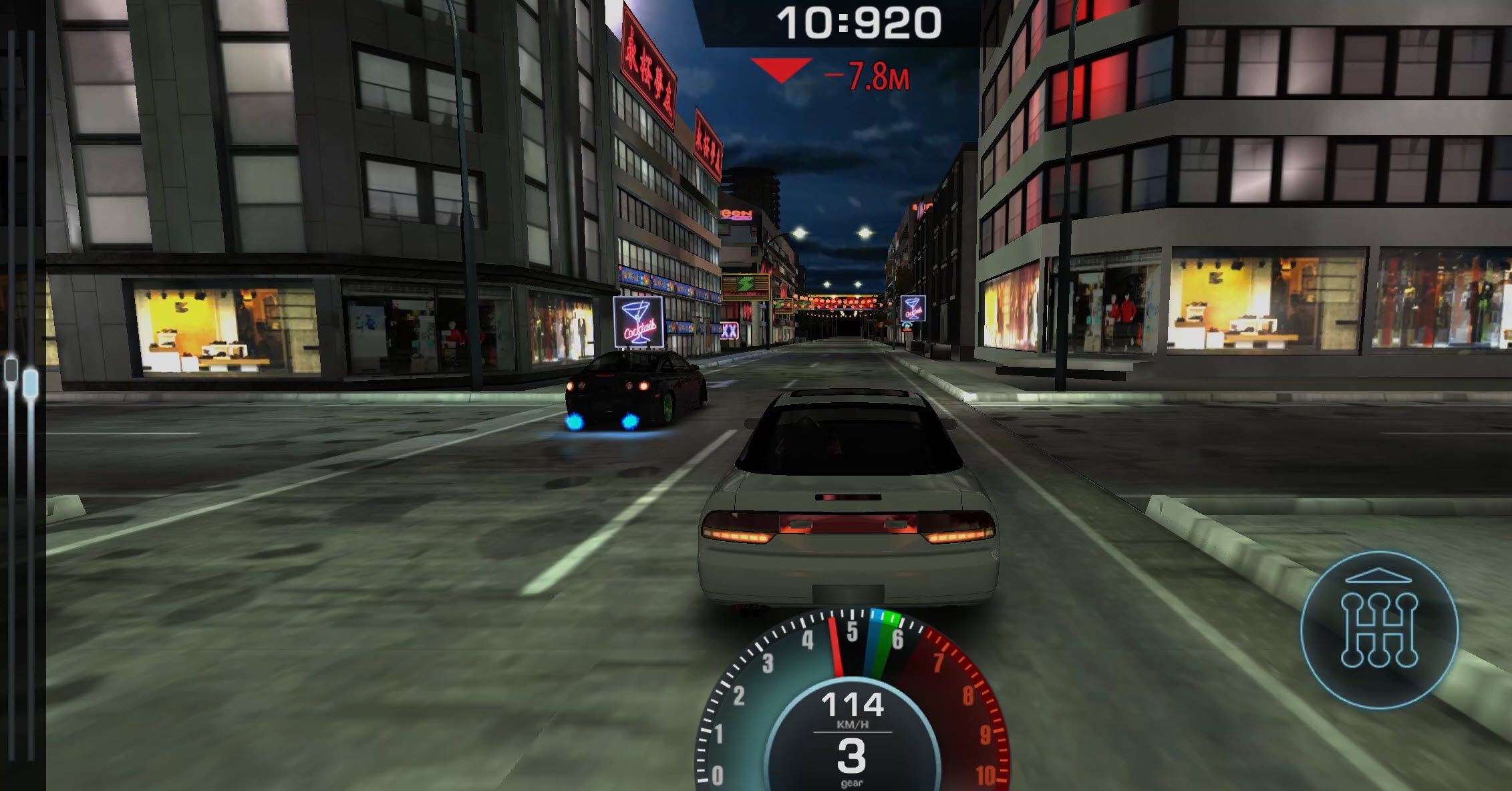
- Shift cleanly – Press Enter as the shift indicator reaches green with each gear. A poor change scrubs off the advantage you built at the line.
- Empty the nitrous bottle – Hold Left Shift to use this (once installed). The bottle is replaced after every race, so anything left at the finish is wasted.

After the opening scenes, CCTV footage settles the close tutorial result in your favor, and Rina stays around to guide you through the game.
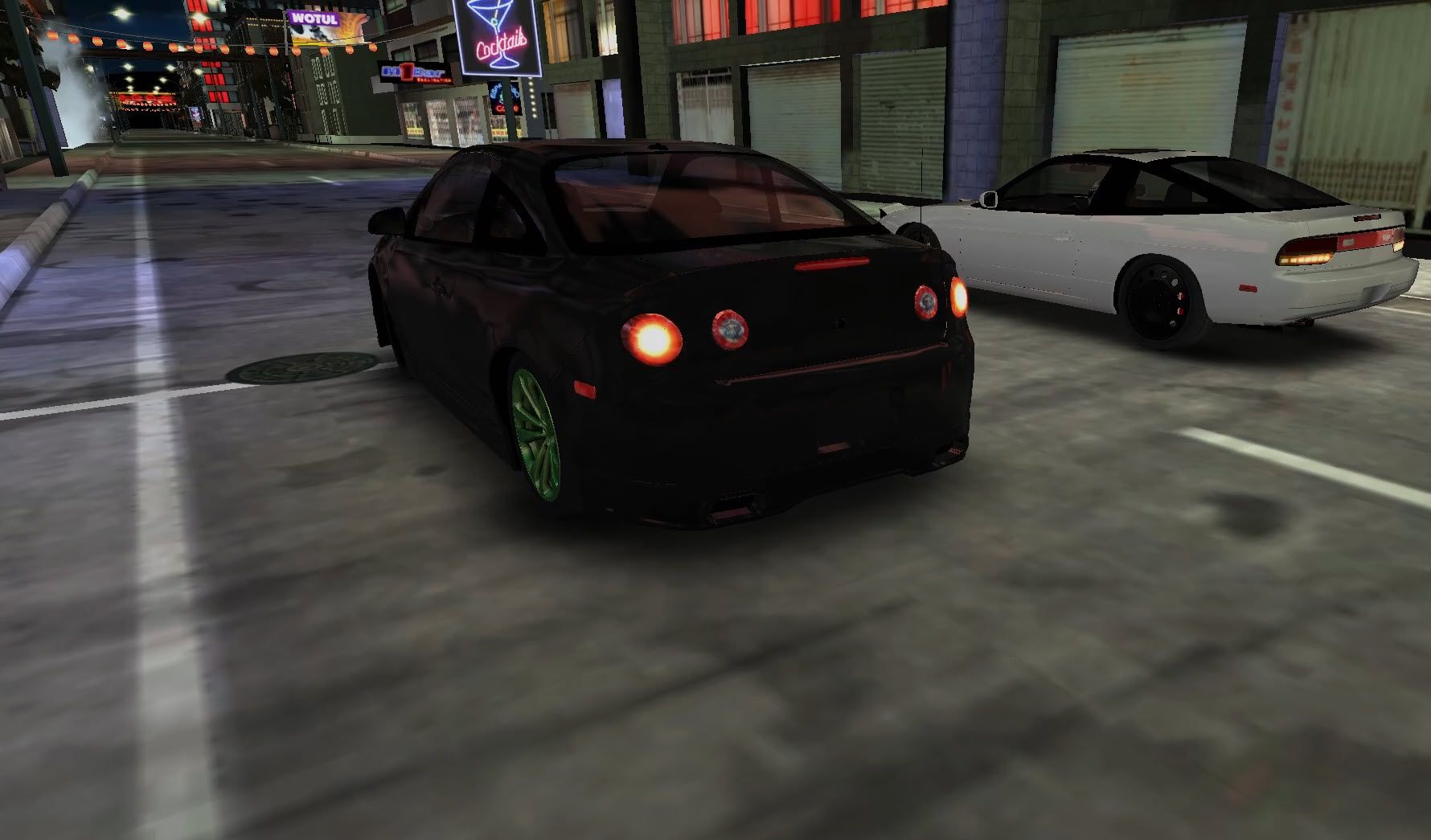
At this point, the heavily modified tutorial car sets you up a comedown. You’ll get to choose your starter, which is stock, slow, and initially has no nitrous. But, that’s part of the appeal here. You’re handed a perfect base ride to build upon, which is far from what the finished article will become (well, unless you swap it out for something else!).
Getting Started
Your initial four free choices are a Cobalt, 240SX, M3 E30, and a Celica. They’re all closely matched, so go with your favorite. For a drift fan, the 240SX and M3 are likely to be the obvious winners.

Each race costs one fuel point, and its card shows the difficulty, silver, EXP, and possible parts before you commit. It’s worth looking at the rewards closely. Winning the next Career stage advances the story, but a race offering much-needed components that are currently blocking a (likely much-needed) upgrade can be the better first choice.
EXP raises your player level and gradually unlocks more features and perks. Objectives add other jobs, including winning side races, beating a target elapsed time, or changing the car’s paint, body kit, and wheels. Between those tasks, chests, boosters, achievements, statistics, and roulette spins, there is usually something useful happening beyond the next opponent.
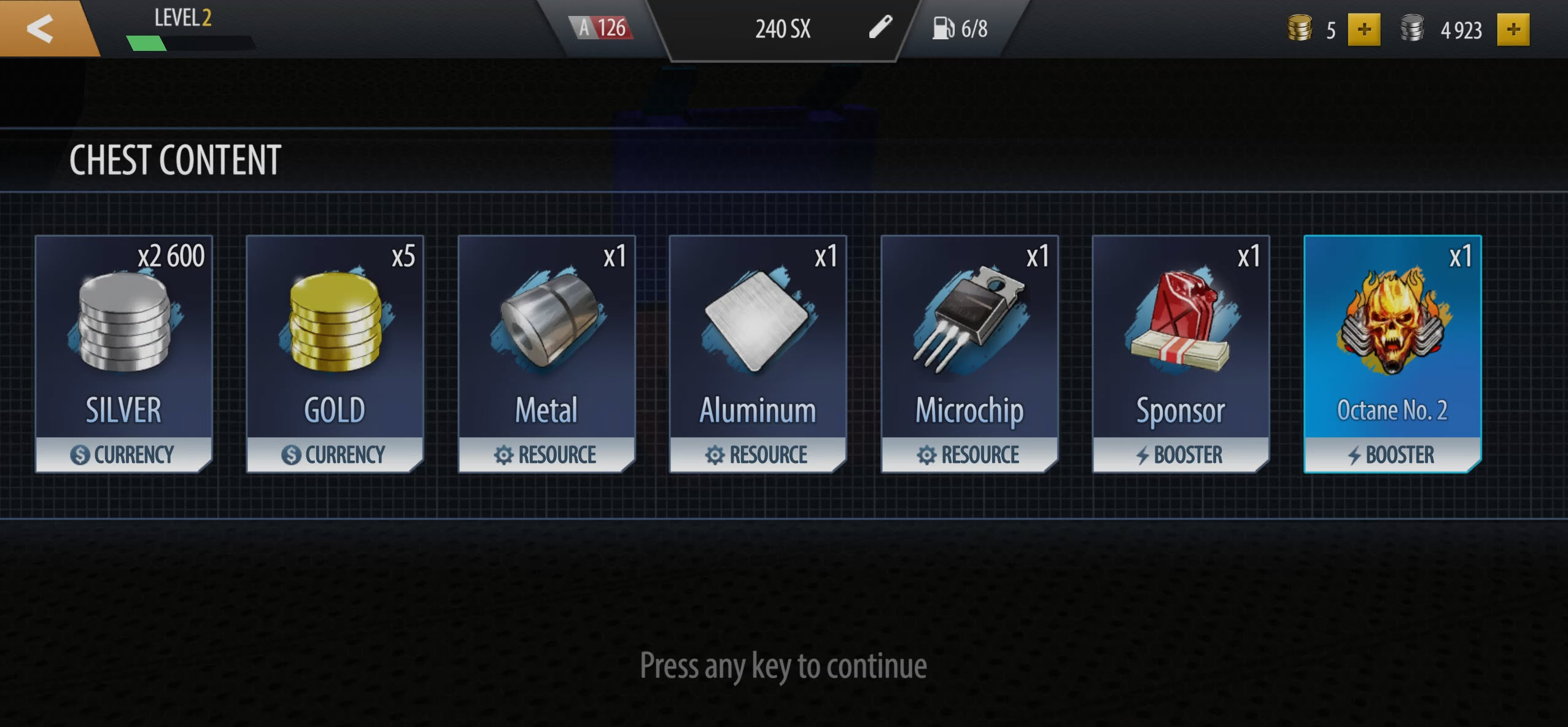
Silver and gold buy cars and gear, while parts can come from races, chests, and other rewards. Optional ads (that last like 4 to 5 seconds) can boost a race payout, or provide selected cosmetics and components.
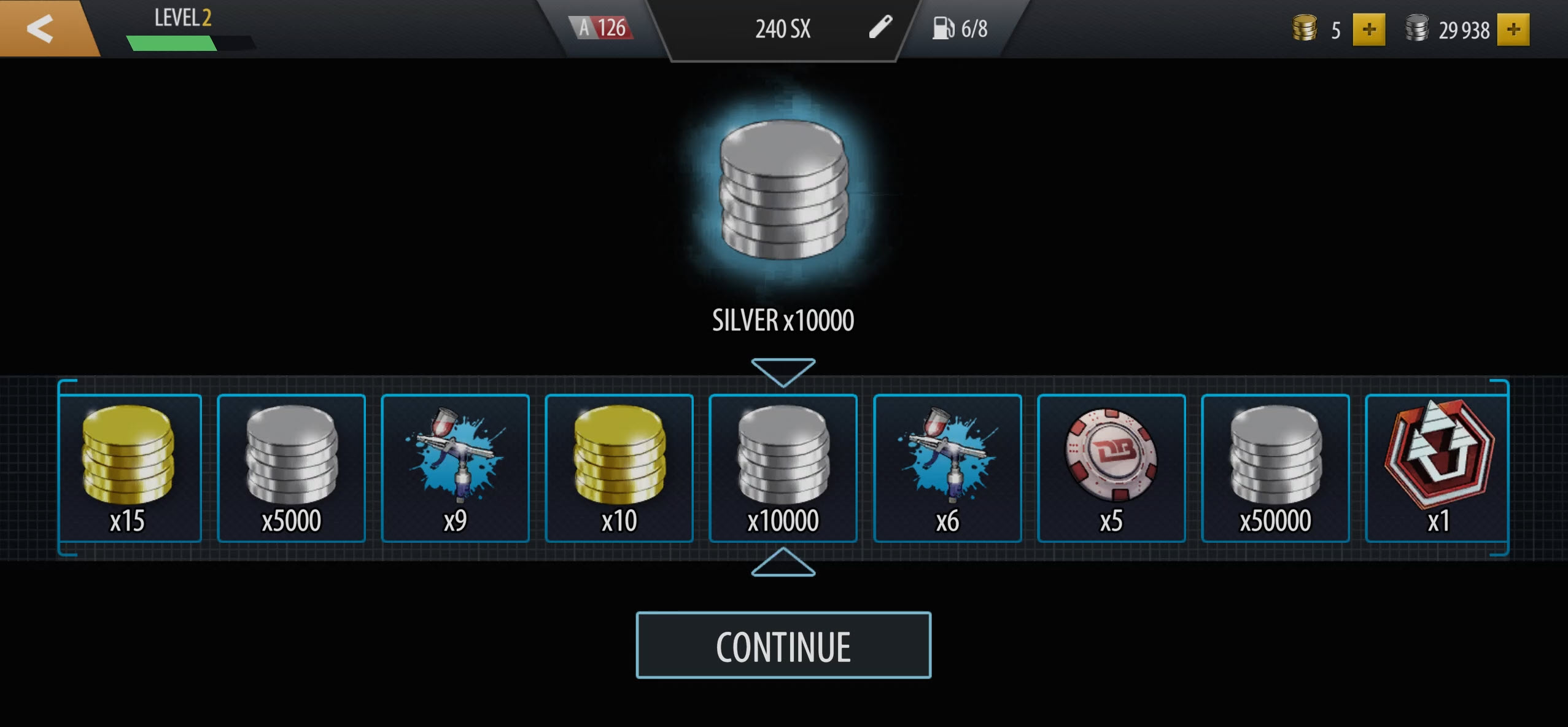
There’s also a roulette wheel fueled by chips, and its super-slow final crawl makes every spin a nervous wait.
The opener takes quite a while, since Rina breaks down the menus and progression options, which there’s certainly no shortage of!
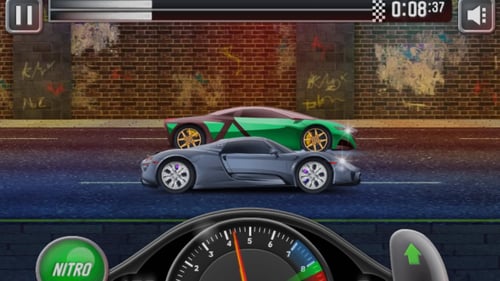
If you’d rather skip the complex menu and grind, Mighty Motors is a great (but far more basic) option, which keeps the same launch, shift, nitrous, car-buying, and upgrade loop.
Alternatively, the legendary old-school browser game, Drag Racer V3, adds a classic quarter-mile format with tuning and Showoff, Race, and Tourneys. Our drag racing games collection has plenty more straight-line alternatives, too.
Game Modes
- Career is the main story and progression route. Win races, gain EXP, improve your power rating, beat each region’s boss, and move through all four regions.
- Events provide separate races outside Career. The rewards can be useful when you need money, EXP, or a particular upgrade resource if you’re struggling to win the next career race.
The four difficulty tiers, regions, race distances, and objectives support those two modes rather than forming separate ones. There is no free-race mode, leaderboard, or online multiplayer. No alternate camera views were found in this build either.
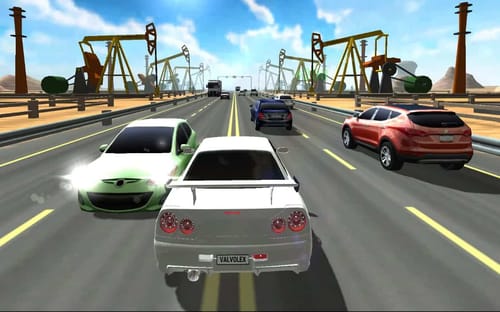
It’s a bummer we don’t get multiplayer and various camera options considering the depth and detail, as it makes you want more ways to maximize the potential of the cool cars on offer. Racing Limits offers the manual shifts, nitrous, career progress, and adjustable gearing, then throws Free mode, real-time multiplayer, and cockpit, hood, and rear camera views into the mix.
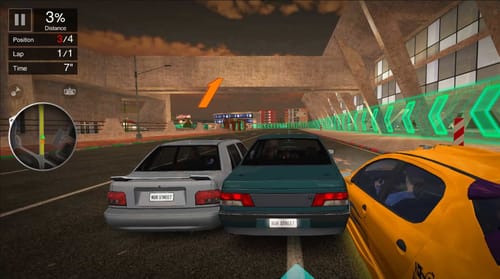
NSR Street Car Racing is another great alternative when you want the car-development loop to continue onto a neon city with drifting and online races, and there’s an even bigger selection of choices in our racing games collection.
Car List
The garage contains 25 cars in Classes A to D. Unlike most games, Class A is the entry tier (rather than the elite class), and you can own multiple cars as the money (eventually) starts rolling in.
- Class A starters: Cobalt, 240SX, BMW M3 E30, and Toyota Celica.
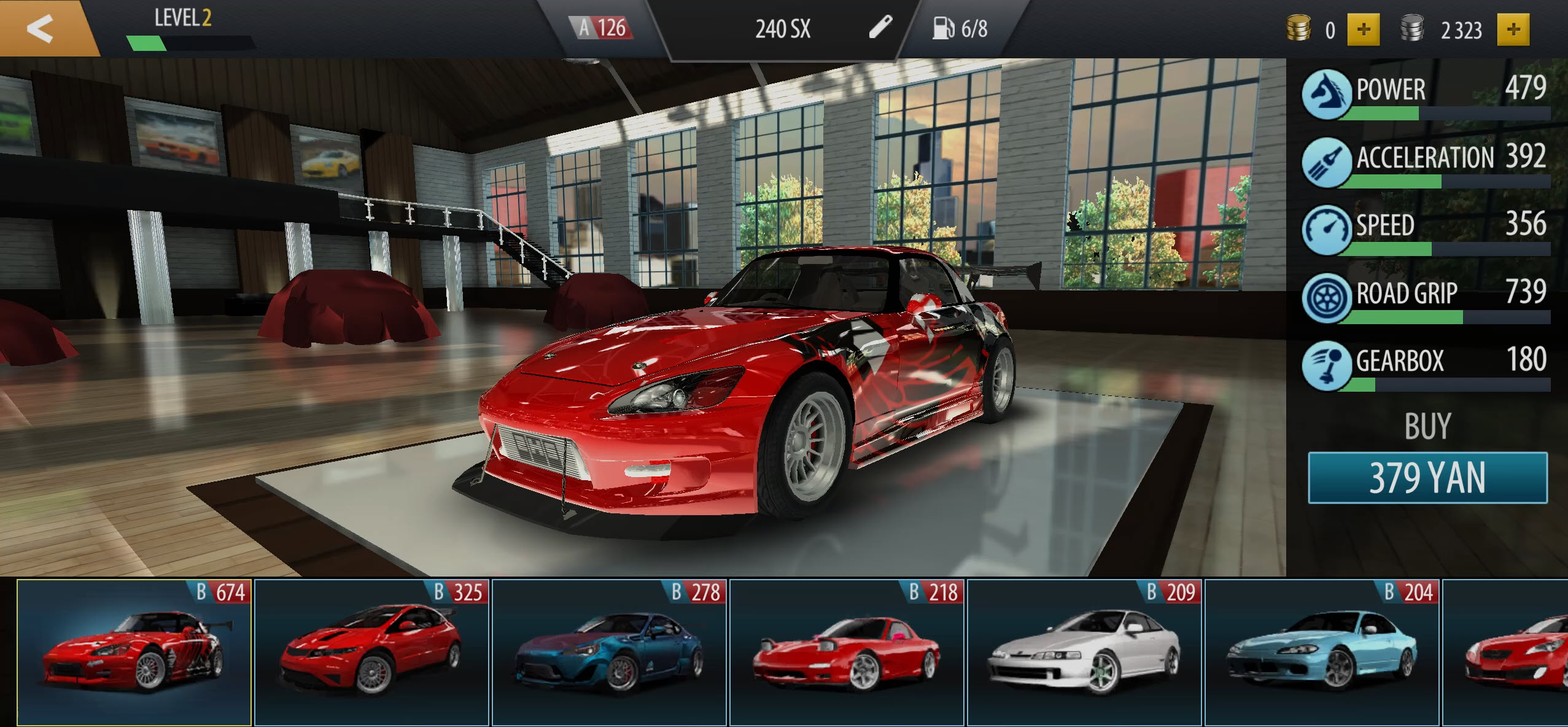
- JDM favorites: The Rocket Bunny-kitted BRZ (with an external intercooler), sick-looking Honda S2000, Mazda RX-7, and Nissan Silvia S15 are among the later drift-enthusiast choices.
- Class C highlights: JDM legends like the Nissan Skyline GT-R R34, Honda NSX, Subaru Impreza, Mitsubishi Evo, and Nissan 350Z arrive with some more extensively-modified bodywork.
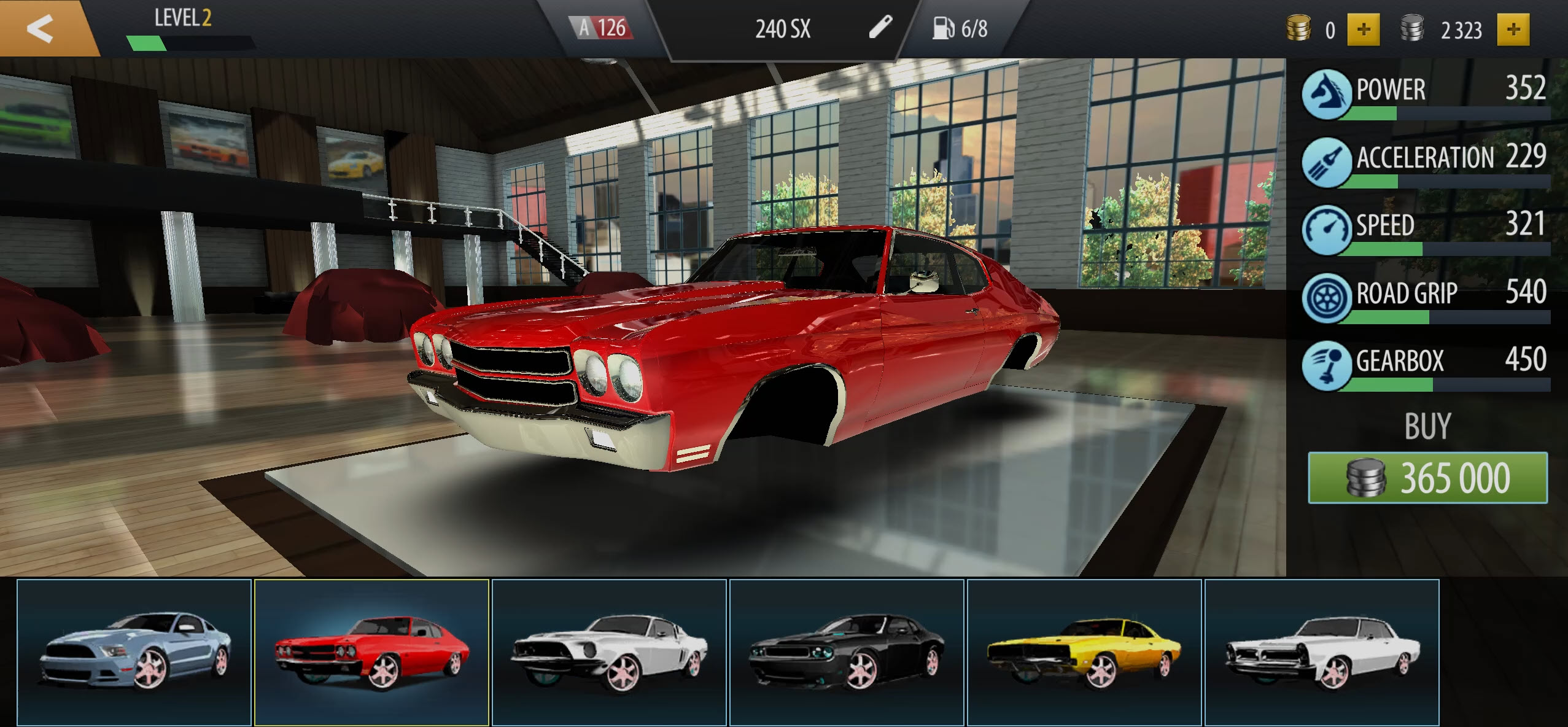
- Class D: The top end turns towards (super expensive) old-school American muscle and cars that look more prepped and ready for the drag strip rather than a drift paddock. (Yawn!)
Tuning, Upgrades & Customization
Buying an upgrade is not just a matter of having enough silver. Each item shows the specs it changes, the price, and the resources required.
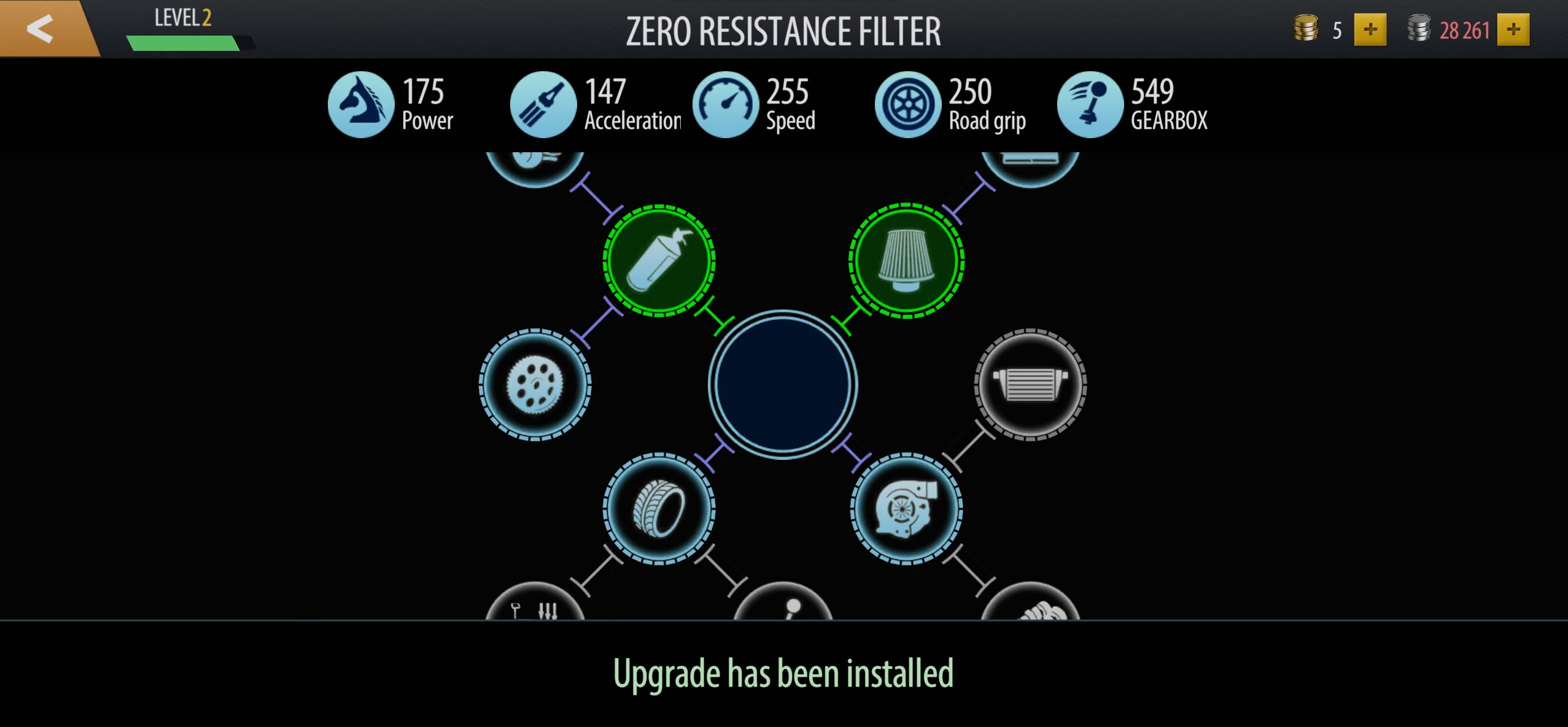
Missing parts can be built from blueprints or drafts and other components, so you might end up going back to the race map rather than straight to the shop.
You get:
- Tuning – Work through the performance tree to turn your stock starter car into a drag strip weapon.
- Settings – Adjust the tire pressures, gear ratios, turbo boost, and nitro delivery.
- Driver perks – Shifter improves shift speed, Seize the Moment briefly adds power after a perfect change, and Warm Up Wizard makes the burnout easier and more effective.
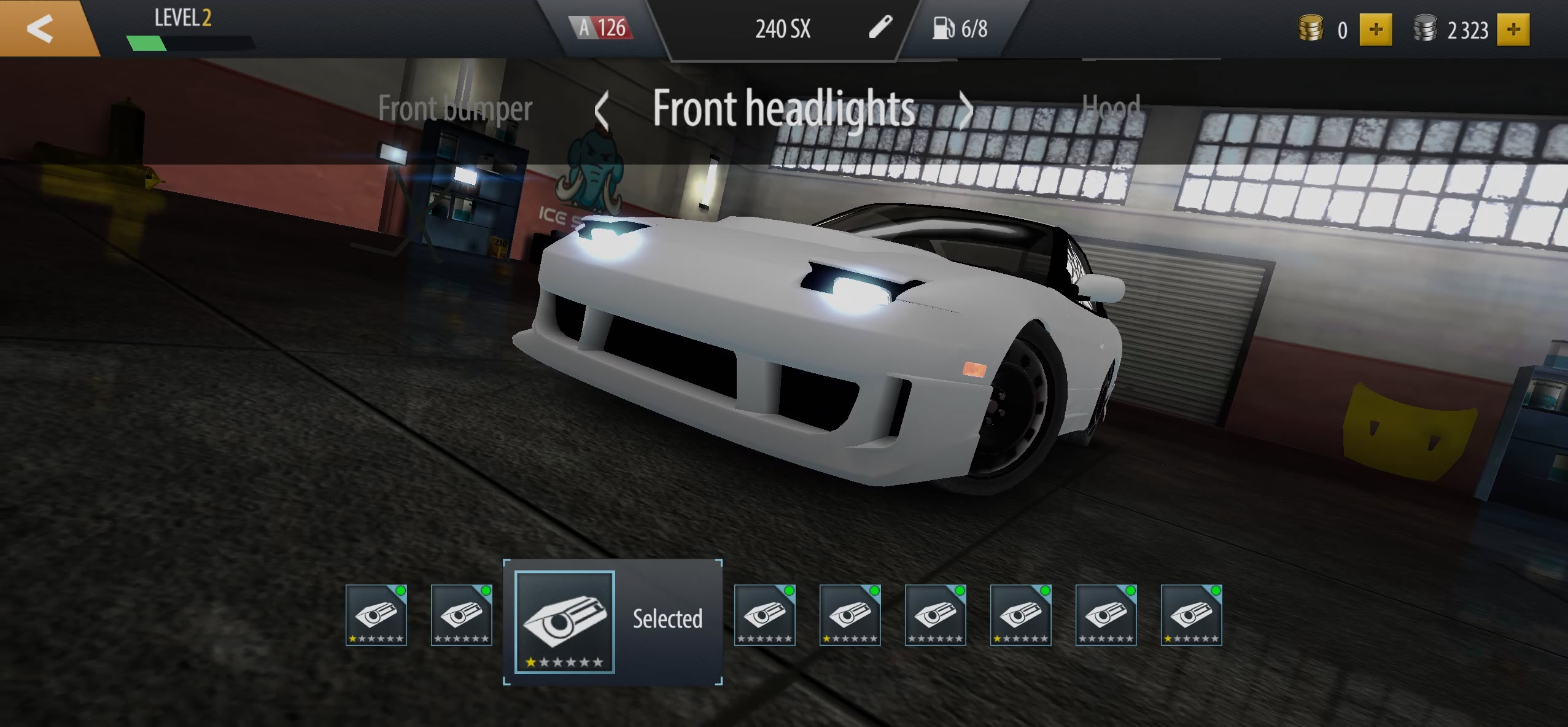
- Styling – Fit recognizable aftermarket (often drift-inspired) bumpers, skirts, hoods, headlights, wings, wheels, paint, and vinyls. Some wings are fairly subtle, then you’ve got massive carbon BGWs which are the opposite. You can install all of these by watching quick ads if you’re short on cash.
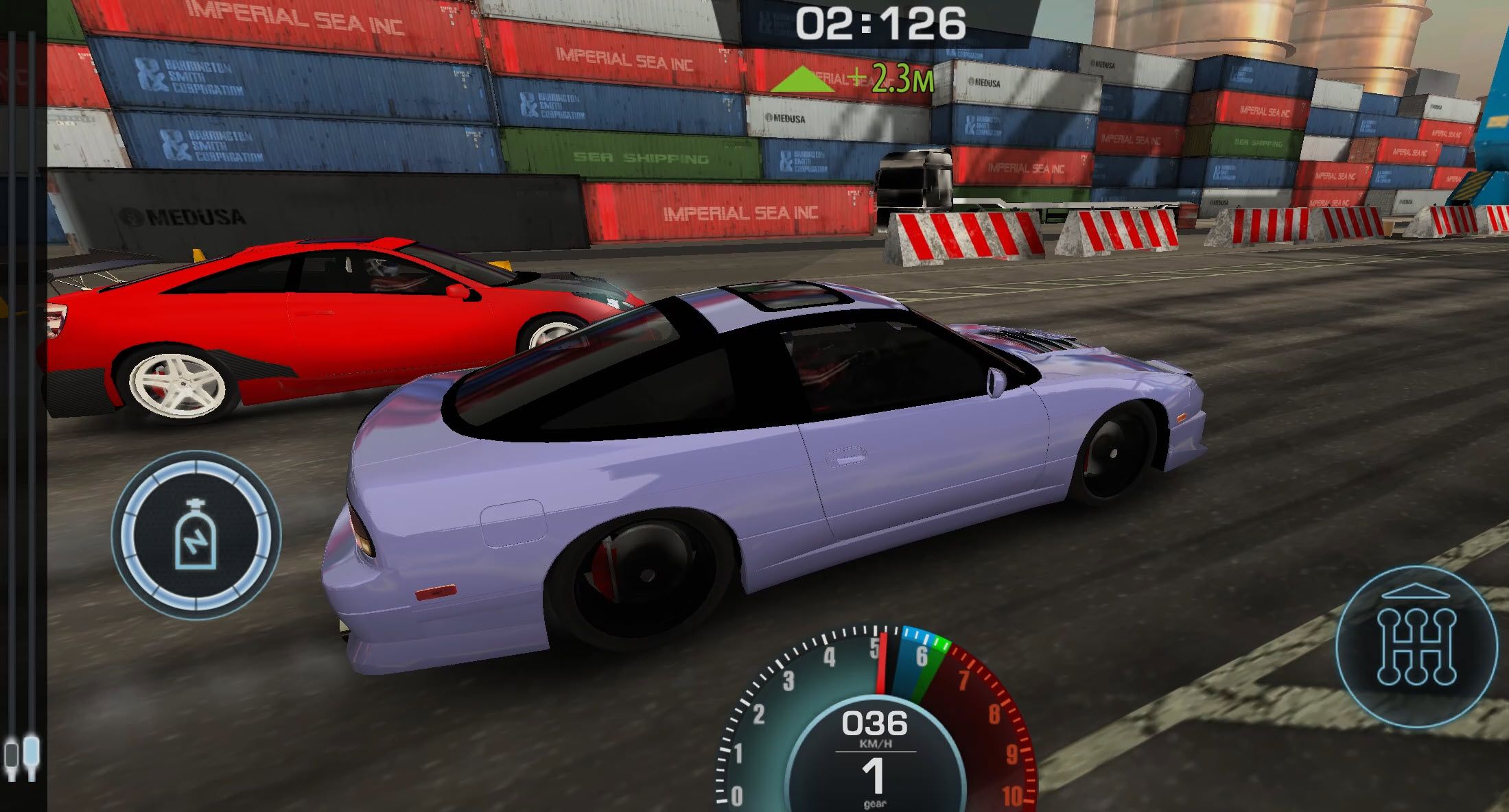
As you probably guessed, the settings focus on straight lines, but the familiar satisfaction remains for drifting fans where you’ll upgrade the build, head back out, and see whether the next run improves.
Advanced Tips & Tricks
Never skip the warm-up

Don’t click ‘Skip’ on the warm-up thinking you’re skipping an intro animation like I did, when I wasn’t paying attention! It puts you on the line with cold tires and immediately sets you up for a terrible run.
Watch how the target moves during the burnout, make small corrections to get the heat gauge up, and start memorizing the patterns it tends to follow for next time.
Nail the revs before launching off the line
Don’t chase the upper revs thinking you’ll go faster, as you’ll just fail to get traction.
Bring the needle into the green section around 6,000 to 7,000 RPM and try to hold it there. You can watch the lights and do a burst of throttle and hope for the best, or bring it to the green area and tap to try and keep it there. A strong burnout followed by an optimal launch gives you the best possible chance from the line.
Plan your nitrous for the second half
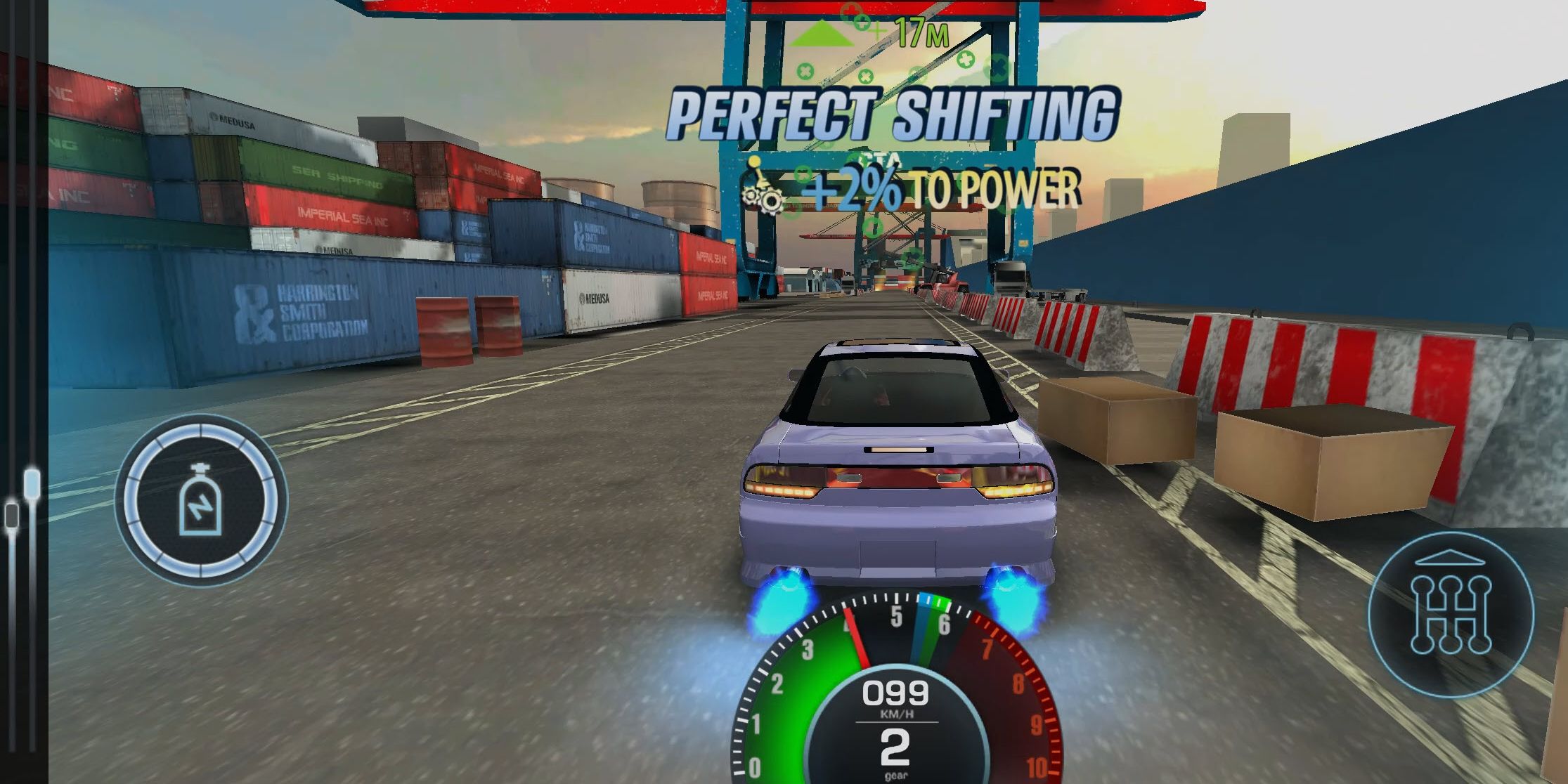
Using nitrous a little later can provide the extra push just when you need it. Don’t leave it too late that you can’t empty the bottle before the finish. It refills for each race.
Choose races based on the part(s) you need
Check each reward card before spending your (limited) fuel. When a component is the one thing blocking the next upgrade, find the race(s) that can supply it rather than repeatedly entering whichever opponent appears next. This way, you stand a much better chance of advancing in the career.
Drag Battle: Street Racing FAQ
Can I play Drag Battle: Street Racing on my mobile?
Yes. It works great on your phone (or tablet) in your browser with optimized on-screen controls for the gas pedal, gear shifts, and nitrous.
Does Drag Battle: Street Racing have multiplayer?
No. There’s no online multiplayer or leaderboard system. Instead, you get a long-term career mode.
Can I steer or drift in Drag Battle?
Unfortunately not. You only control the tire warm-up, launch RPM, gear changes, and nitrous.
How many cars are there?
There are 25 awesome rides to choose from (with plenty of JDM goodness) across Classes A to D, with Class A (unusually) serving as the entry tier.
Can I tune and customize my car?
Yes. You can fit performance parts (one you’ve got the parts), change detailed setup values, and add body kits, paint, vinyls, wheels, and more.
What game modes are there?
Career is the main story-led route, with separate Events alongside it.
Written by:
Published on:
Bill is a writer and photographer who has been part of the Drifted team since 2015. His work extends to various print and online publications, including Wangan Warriors.
As part of the King of Nations team, he traveled extensively for several years, capturing top-tier international drift events worldwide. His hands-on experience, including rebuilding his own Nissan Silvia S15 drift car, gives him unique insights into drift car building and global drift culture.
When not behind the lens or keyboard, Bill can be found browsing classifieds for his next JDM project or shredding virtual tires on popular simulators like Assetto Corsa, CarX, and Forza.
You can learn more about Bill’s story here or follow his socials on X (formerly Twitter), Flickr, Facebook, and Instagram.
 Drag Racing Club
 NSR Street Car Racing
 Racing Limits
 Grand Extreme Racing
 Street Escape
 Mighty Motors